What is a field?
A field is where Email Parser stores pieces of text. When an email is processed, Email Parser follows the arrows in the workflow diagram (displayed on the left side of the application) from the top to the bottom. In each step, fields are created and become available to the next step. There are three types of fields:
Default fields
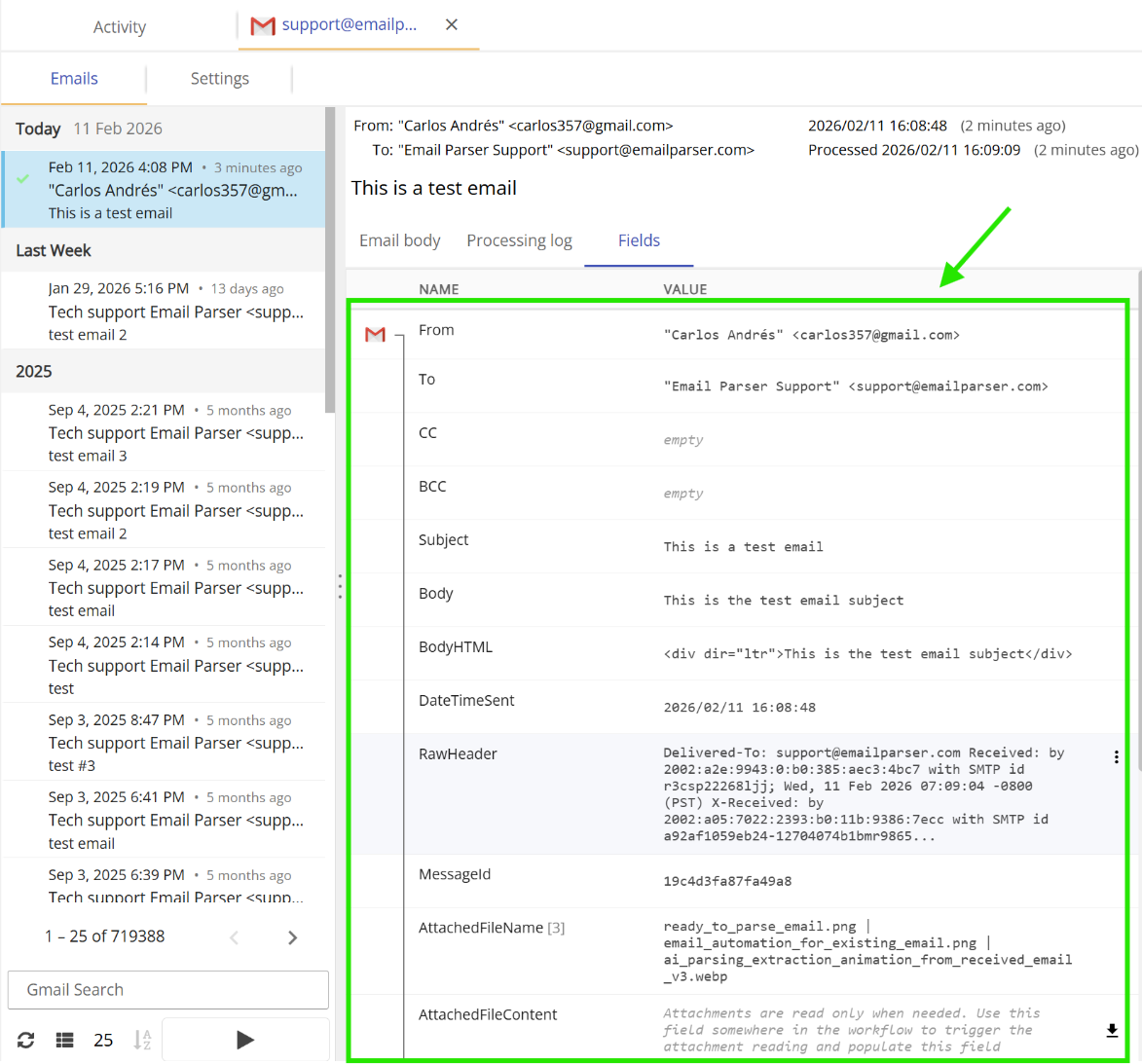
These are the Subject, Body, From etc. of the received email. These fields are always available without any further configuration or settings. They exist “by default” (hence their name) as soon as an email is received.
Parser fields
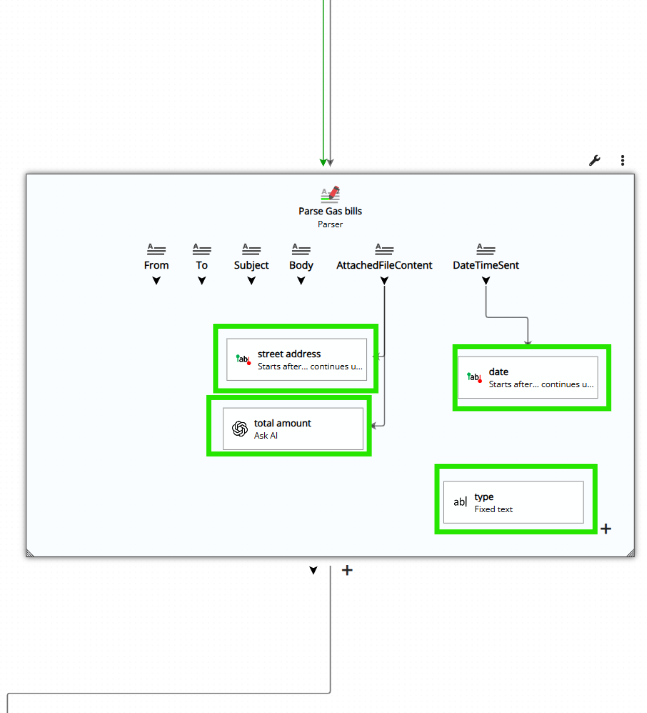
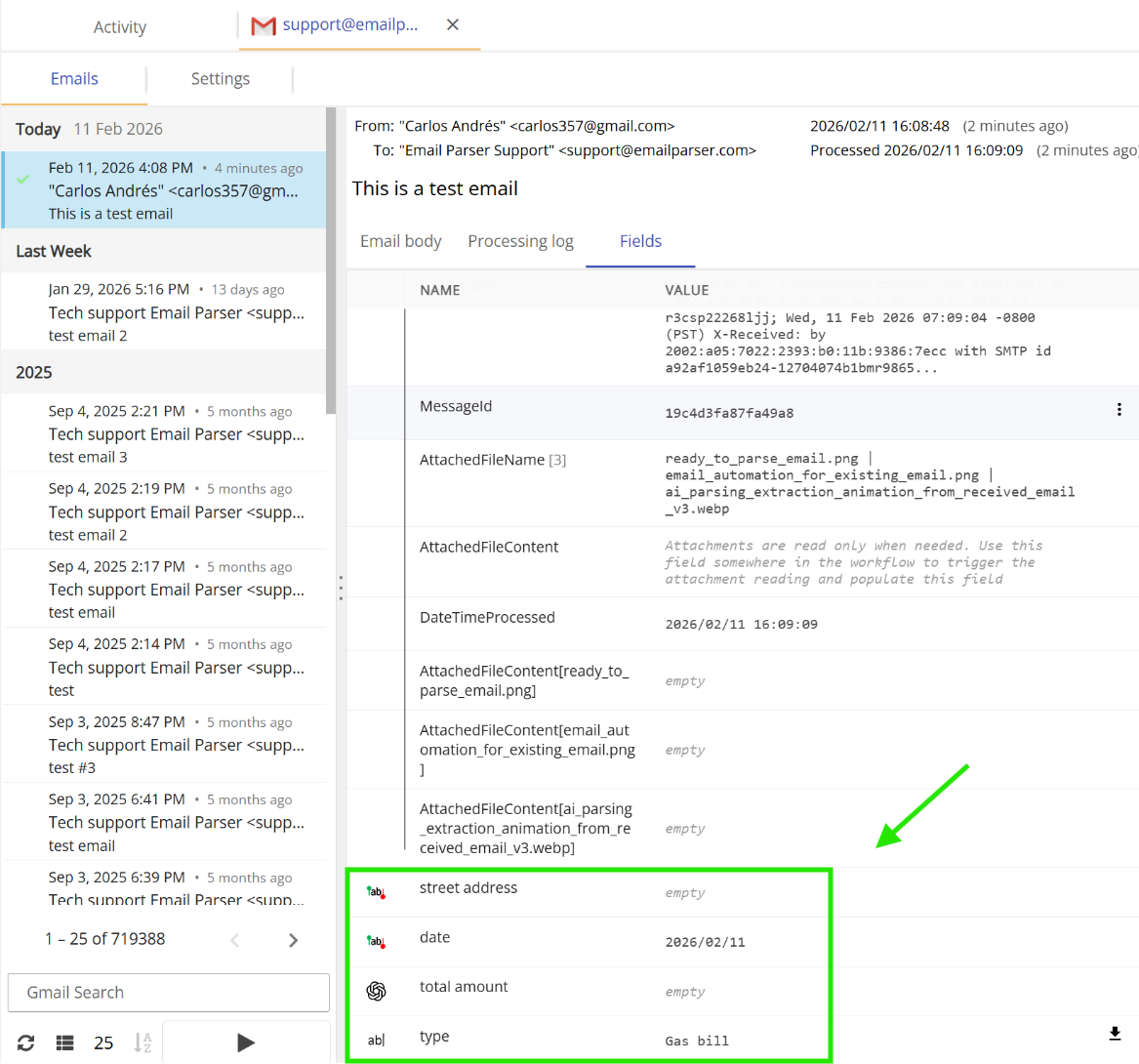
These are the fields that you define in a Parser. They are usually calculated from another existing field. For example, in the image below, the field ‘Street Address’ is retrieved from an attached file.
Fields from Actions
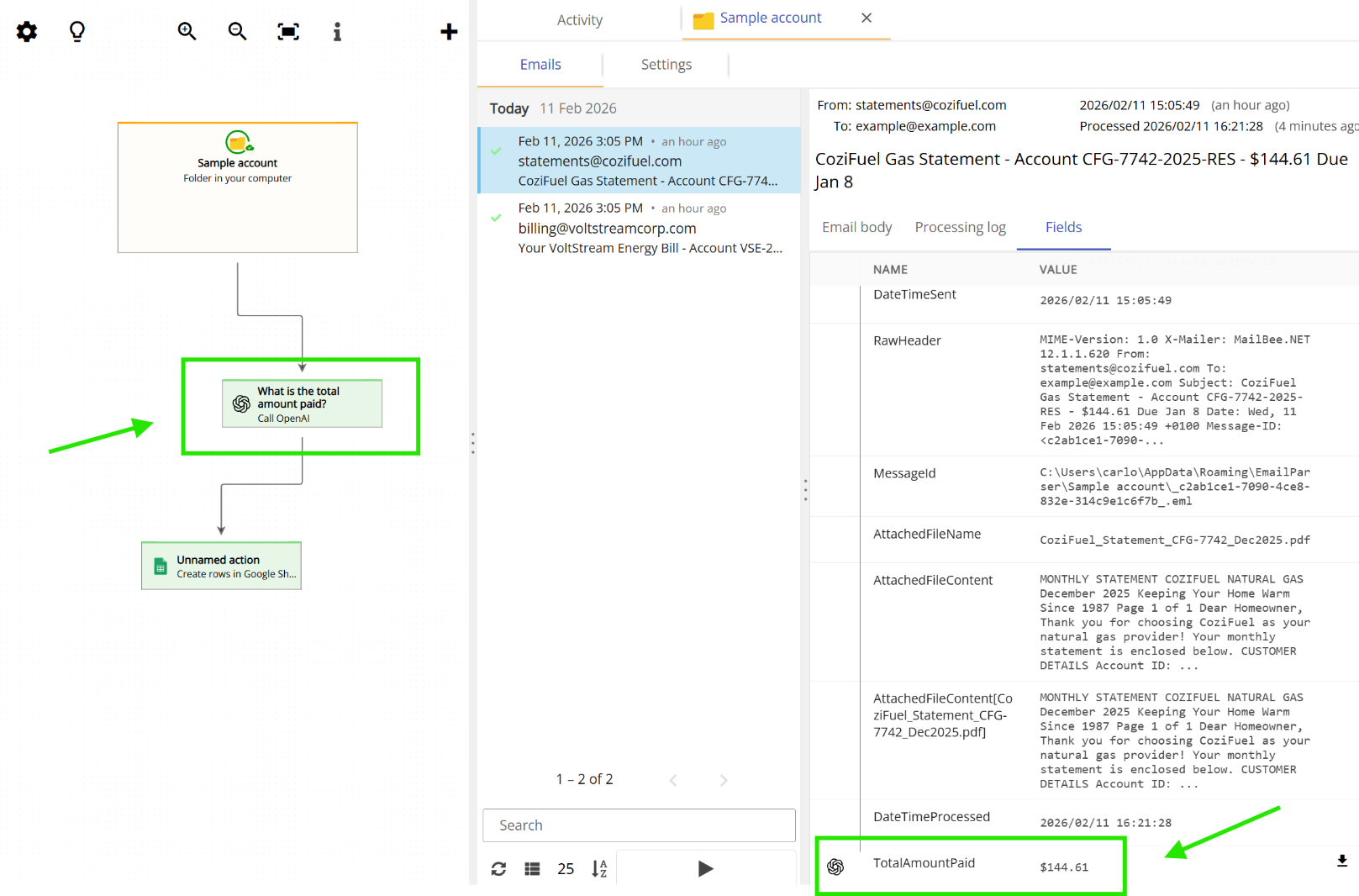
Most actions do not generate any fields but some of them like the AI action or the HTTP request to an API (among others) can generate fields that are useful for the next actions in the chain.
Frequently asked questions
Where can I check the contents of the fields?
Once an email is processed you can see what fields were created by double clicking on the email account in the workflow diagram and picking one email from the list. On the right, click on the fields tab.
Can fields be shared between emails? I want to use a field from one email when another email is received
Email Parser always starts processing an email with an empty list of fields. The field list is populated as the email is processed. But, you can use a database to store and read field values.
