Running an AI Agent Inside an Action vs. Running It in a Field
In Email Parser, you can call an AI agent in two different places: as a field inside a parser, or inside an action. Understanding the difference between them helps you choose the right approach for each situation:
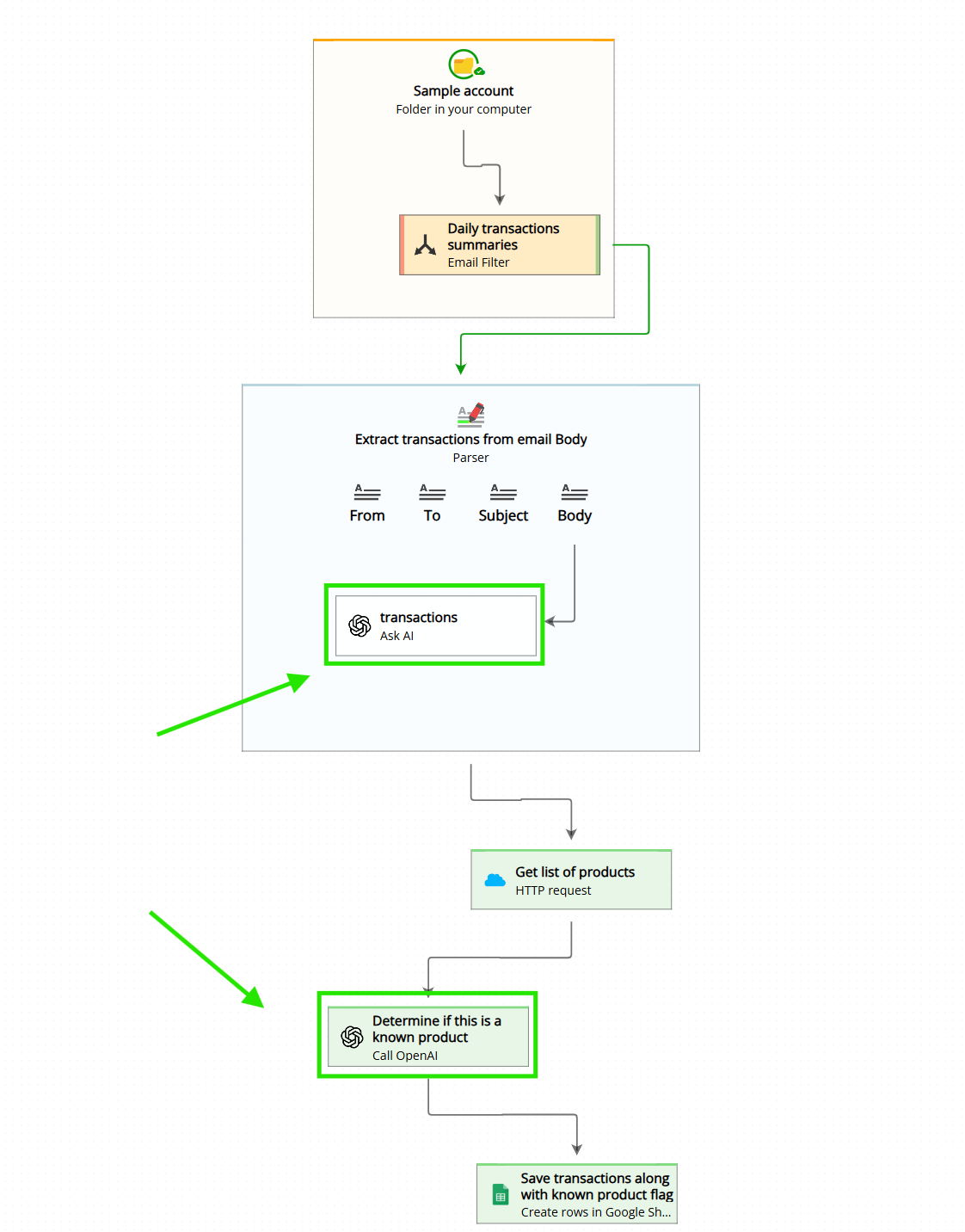
As a field: The page Capturing Text with AI describes this approach. When you use AI at the field level, the agent receives a focused, narrow piece of information – typically one specific section of the email that you define – and produces a single output value for that field. For example, you might point it at the footer of an email and ask it to extract the sender’s shipping address. This works very well for straightforward extraction tasks. Because the agent’s context is tightly constrained, its output tends to be highly predictable and reliable.
As an action: The Call OpenAI action is considerably more powerful. The agent has access to all fields from the entire email, all attachments, and all data that previous workflow steps have produced. This allows it to perform complex reasoning tasks – such as comparing extracted data against information fetched from an external API, or generating multiple output fields at once, each containing multiple values. The trade-off is that it consumes more tokens and the broader context makes the agent’s output somewhat less constrained than when it is given a narrow, specific input. With a well-crafted prompt, however, you can achieve very reliable and powerful results that would simply not be possible at the field level.
In short: use the field-level AI approach when you need to extract one simple value from a defined section of the email, and use the Call OpenAI action when you need to reason across all available data or produce multiple structured output fields at once.
