Limitations of the Email Parser Web app
See also:
Differences between the Web and Windows apps
Running the Windows app on the cloud with a virtual private server
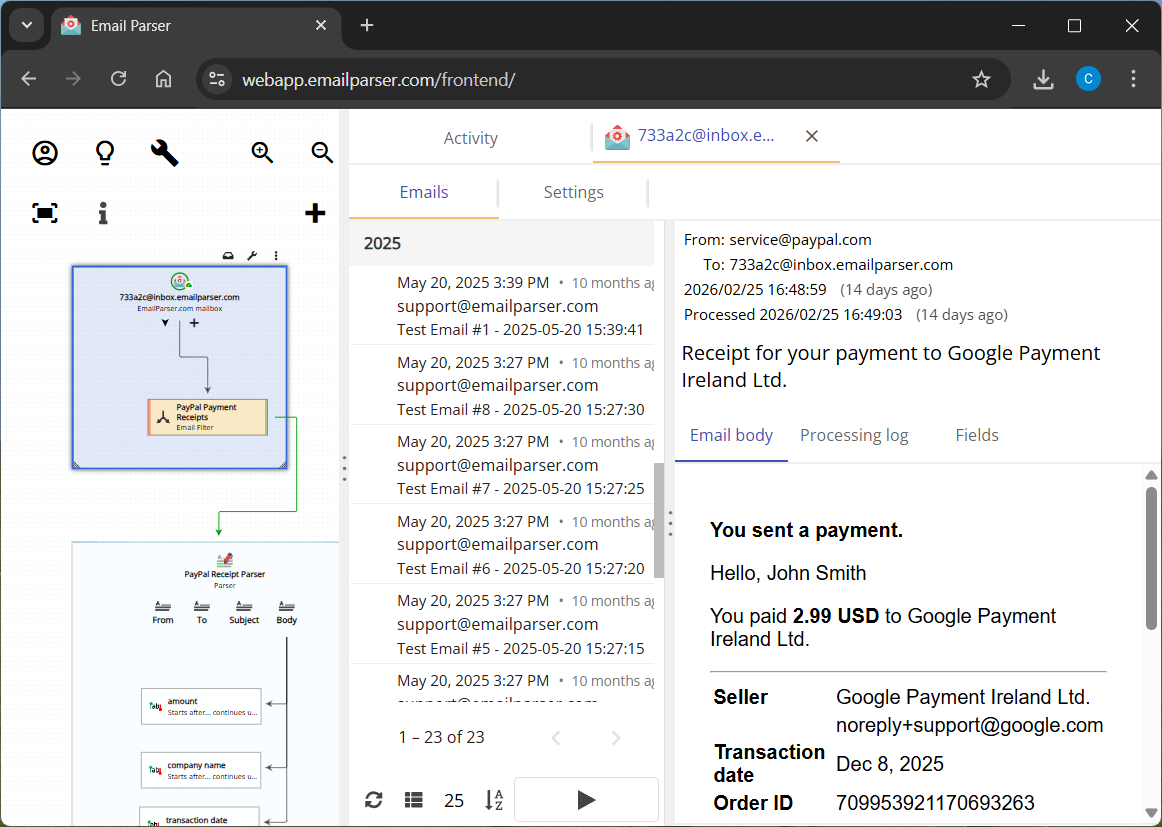
Email Parser is available in two versions: the Web app, which runs in your browser at webapp.emailparser.com, and the Windows app, which you install on a Windows computer. Both versions share the same core concepts and interface, including the workflow diagram, parsers, fields, and actions. However, the Web app has some limitations compared to the Windows app:
Monthly email processing limit
The Web app can process up to 5,000 emails per month. The Windows app has no limit. For most users, 5,000 emails per month is more than enough, but if your volume is higher, you may want to consider the Windows app or contact us about increasing your quota.
Email processing will not stop abruptly if you reach the limit. We will always contact you first before suspending email processing for the remainder of the month, because we understand that Email Parser is often a critical part of users’ workflows.
Email account limit
The Web app supports up to 10 email accounts. The Windows app supports an unlimited number. This limit applies to external accounts such as IMAP, POP, Office 365, and Exchange accounts, in addition to the built-in inbox.
AI-assisted field captures limit
The Web app includes 500 AI-assisted field captures per month using included credits. You can remove this limit entirely by providing your own OpenAI API key (see the credit system and using your own key). The Windows app does not include built-in credits and always requires your own OpenAI API key, but there is no monthly cap on usage.
No access to local files or programs
Because the Web app runs in the cloud, it has no access to files or programs on your computer. This means the following features are not available in the Web app:
- Run external program: the Windows app can launch any application or script installed on your computer when an email is parsed.
- Run Windows command prompt command: the Windows app can execute command-line instructions as part of a workflow.
- Local file system email folder: the Windows app supports using a local folder as a virtual email account, which means it can treat files on your hard drive (EML, MSG, PDF, TXT, HTML, and other formats) as if they were incoming emails and parse them accordingly. Since the Web app has no access to your local file system, this feature is not available, and neither is local file parsing.
No C# and PowerShell scripting
The Web app does not support C# or PowerShell scripts. These languages run on the Windows operating system and are therefore only available in the Windows app. In the Web app, you can use JavaScript or AWS Lambda functions instead, which cover most scripting needs. Specifically, the following are not available in the Web app:
- Run C# script action: only available in the Windows app.
- Run PowerShell script action: only available in the Windows app.
- Capture text with a C# script: a field capture method that uses a C# script. Not available in the Web app; you can use the JavaScript capture method instead.
- Filter emails with a C# script: filtering incoming emails using a C# script. Not available in the Web app; you can use JavaScript filtering instead.
No ODBC database support
The Web app does not support ODBC-compatible databases. ODBC is a standard interface for connecting to databases installed on a Windows machine. Since the Web app runs in the cloud, it cannot connect to a local database through ODBC. Microsoft SQL Server and MySQL databases are supported in both versions, as they can be accessed over the network.
