Using regular expressions for email filtering
See also:
Filtering incoming emails
Combining multiple filters to build complex filter rules
Regex one – Learn Regular Expressions
Regex101, an online regex tester and builder
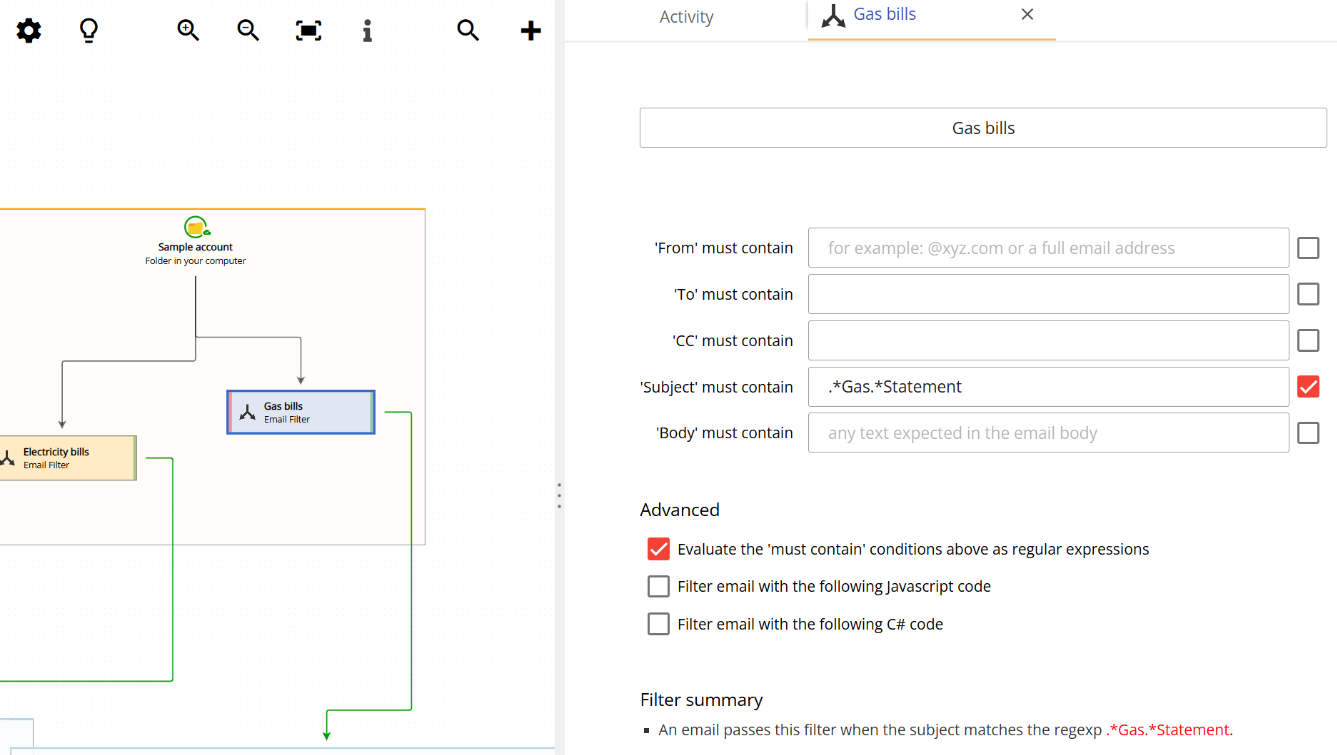
Email Parser allows you to use regular expressions to determine whether an incoming email should be accepted for processing or not. This is an advanced filtering option that gives you fine-grained control over which emails are processed.
When are regular expressions needed?
In most cases, regular expressions are not needed. The standard email filtering options in Email Parser are sufficient for the majority of use cases. You can filter emails by subject, sender, body content and other fields using simple text matching, and this covers most scenarios.
However, there are situations where determining whether an email should be processed or not is more complex. For these cases, Email Parser offers three options:
- Combining multiple filters: you can use filter combinations to build more complex filter rules by chaining multiple conditions together.
- Using a script: you can write a custom script to filter emails, which gives you full programmatic control over the filtering logic.
- Using regular expressions: you can use regular expressions to match patterns in email fields such as the subject, sender or body. This is what this page explains.
What is a regular expression?
Regular expressions are a topic on their own. They are a powerful way to describe text patterns and are widely used in programming and text processing. There are many pages, tools and documentation available on the internet to learn and build regular expressions. You can find some useful resources in the “See also” section at the top of this page.
How regular expressions work in Email Parser
Email Parser simply checks whether the regular expression you provide matches a specific part of the email. If the regular expression matches, the email passes the filter and is accepted for processing. If it does not match, the email is rejected.
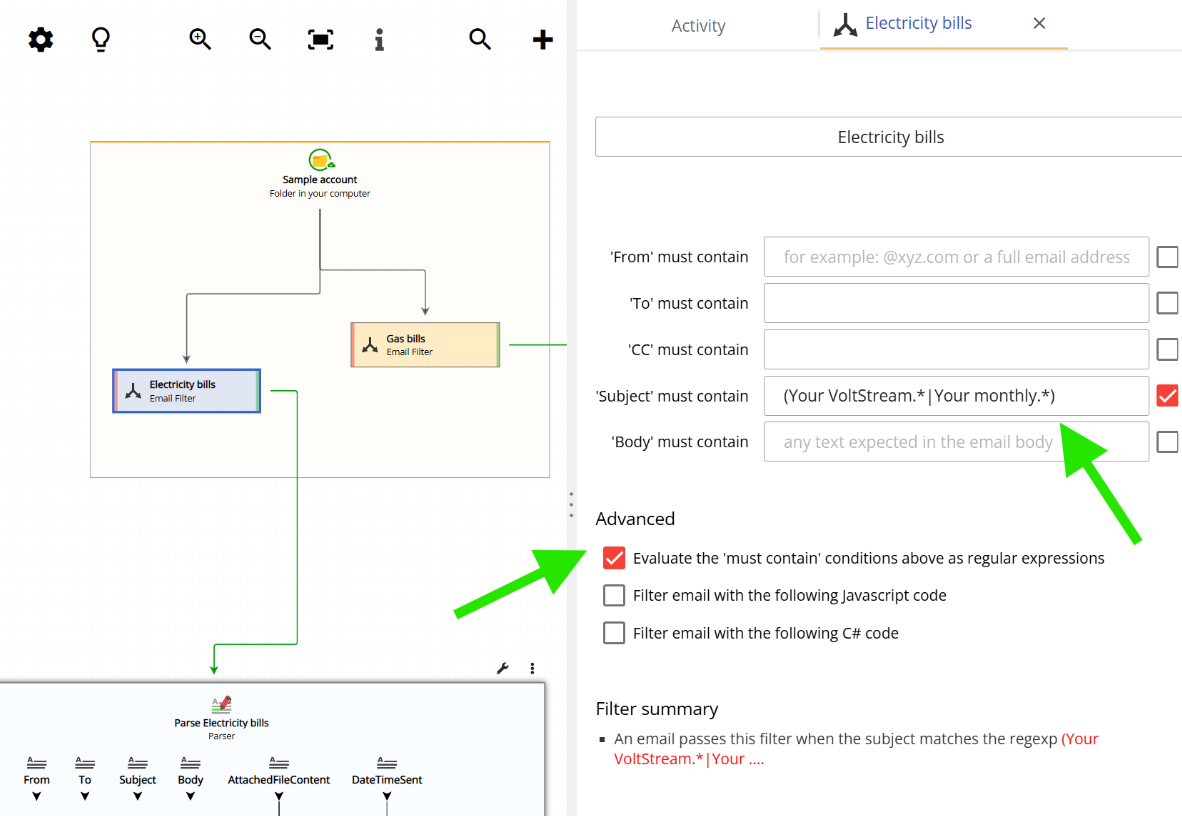
For example, to use a regular expression to filter emails by subject, you need to check the checkbox labeled “Evaluate the ‘must contain’ conditions above as regular expression” and then enter your regular expression in the Subject field. Email Parser will then accept the email for processing only if the subject of the incoming email matches the regular expression you provided.
The screenshot below shows how this is configured in the email filter settings:
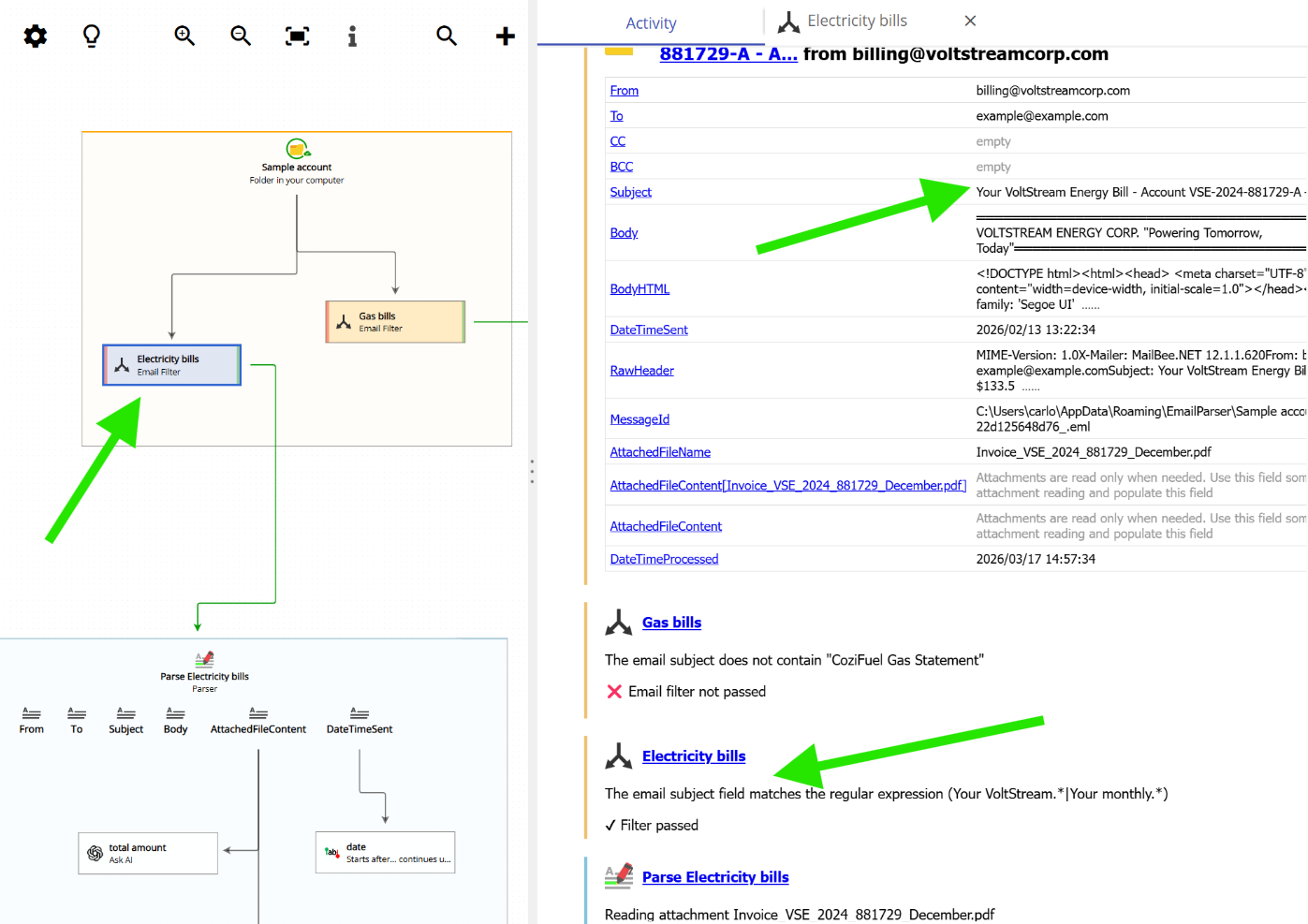
Once set up, Email Parser will run the regular expression against the corresponding email field for each incoming email. If there is a match, the condition is considered to be met and the email is accepted for processing. The following screenshot shows this filtering in action: