Handling SQL SELECT result
See also:
Running a SQL statement in a Microsoft SQL server database
Running a SQL statement in a MySQL server database
Running a SQL statement in a ODBC-compatible database
When you use an SQL SELECT statement in any of the database actions available (MySQL, SQL Server or ODBC), Email Parser will automatically retrieve the data and make it available as fields that you can use in the actions that follow. For example, given the following table in the database:
| Table name: parts | ||
|---|---|---|
| part_id | part_name | quantity |
| 1 | Screwdriver 5cm 234H | 432 |
| 2 | White scotch type | 129 |
| 3 | Black plastic panel | 34 |
| … | … | … |
| 10 | Copper pipe 12mm | 87 |
If you use the following SQL statement:
SELECT part_id, part_name, quantity FROM parts;
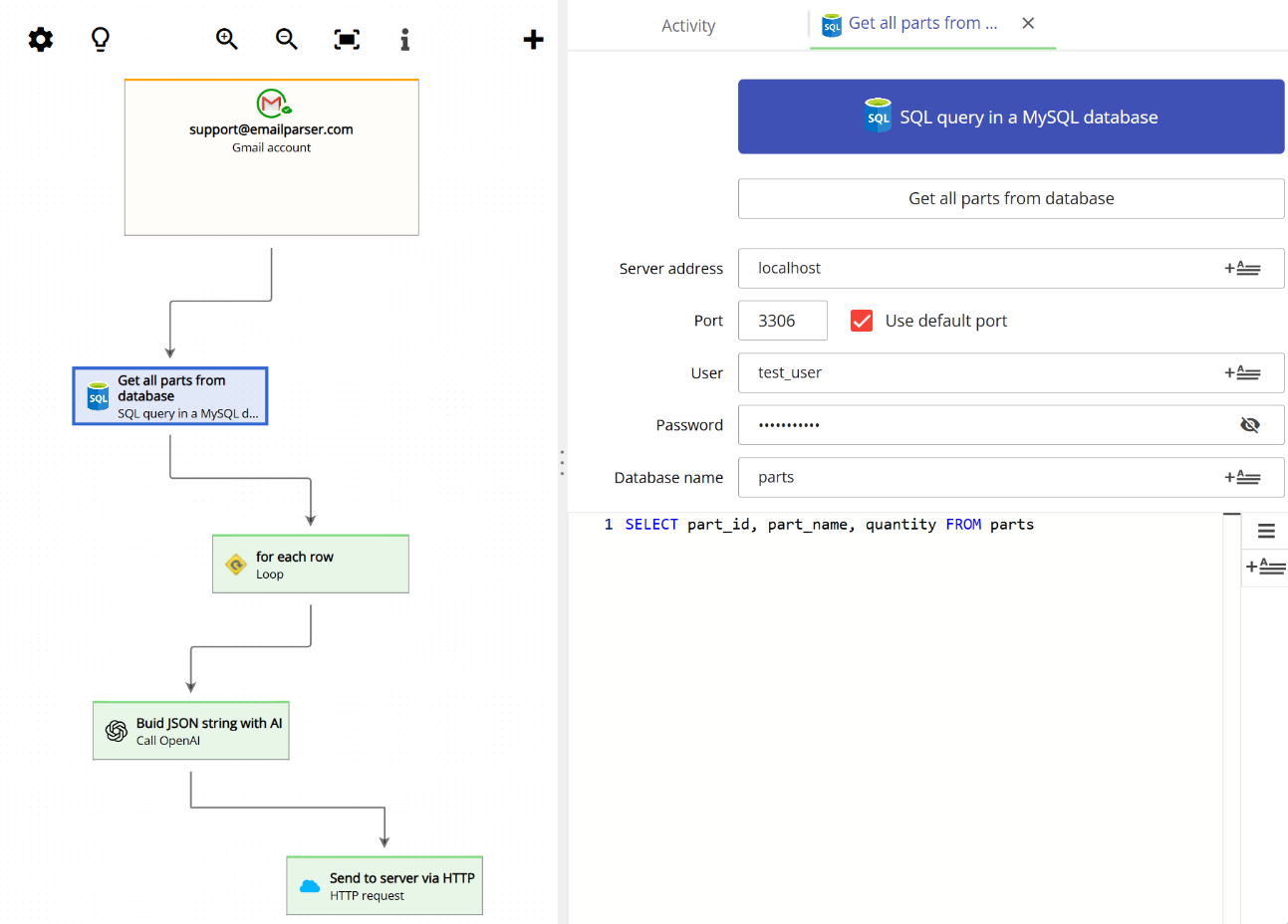
The resulting fields are made available to the next actions:
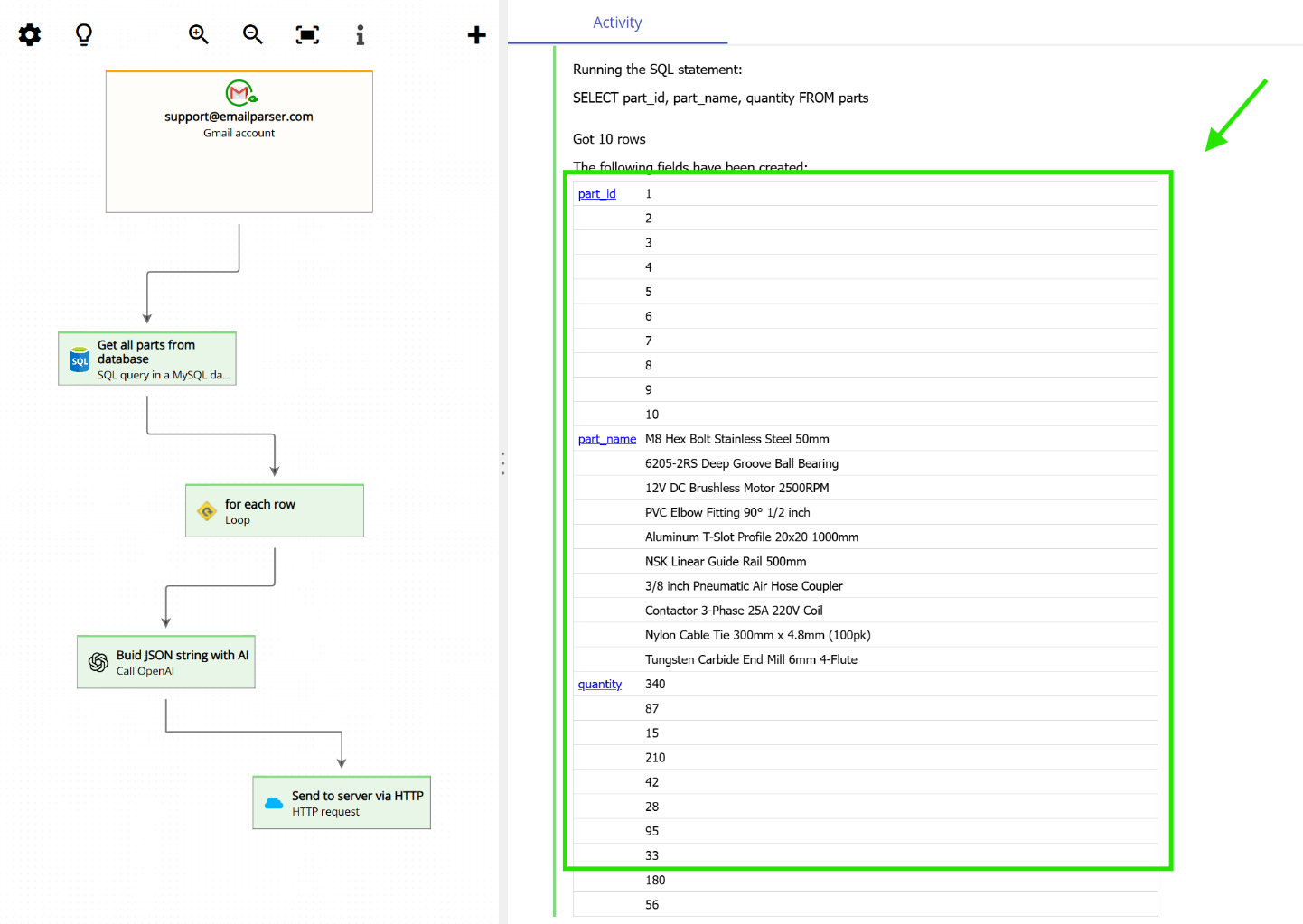

With this set of fields you can then use the Loop action to run a set of actions once for each row retrieved from the database. This is a very powerful combination that lets you automate a task for every record returned by your query. The animation below shows the full process: how the database action is configured, how the results become available as fields, and how the loop is set up to process each row.