The Credit System and Using Your Own API Key
See also:
Running an AI agent inside an action versus running it in a field
Supported OpenAI models
Tips for writing a good prompt
When you use AI features in the Email Parser web app (whether inside a parser field or as part of an action) each AI request consumes a number of AI credits. Credits are a monthly usage allowance that limits how many times AI can be invoked within a 30-day period. This page explains how the credit system works, what happens when your credits run out, and how you can bypass the limit entirely by supplying your own OpenAI API key.
How AI Credits Work
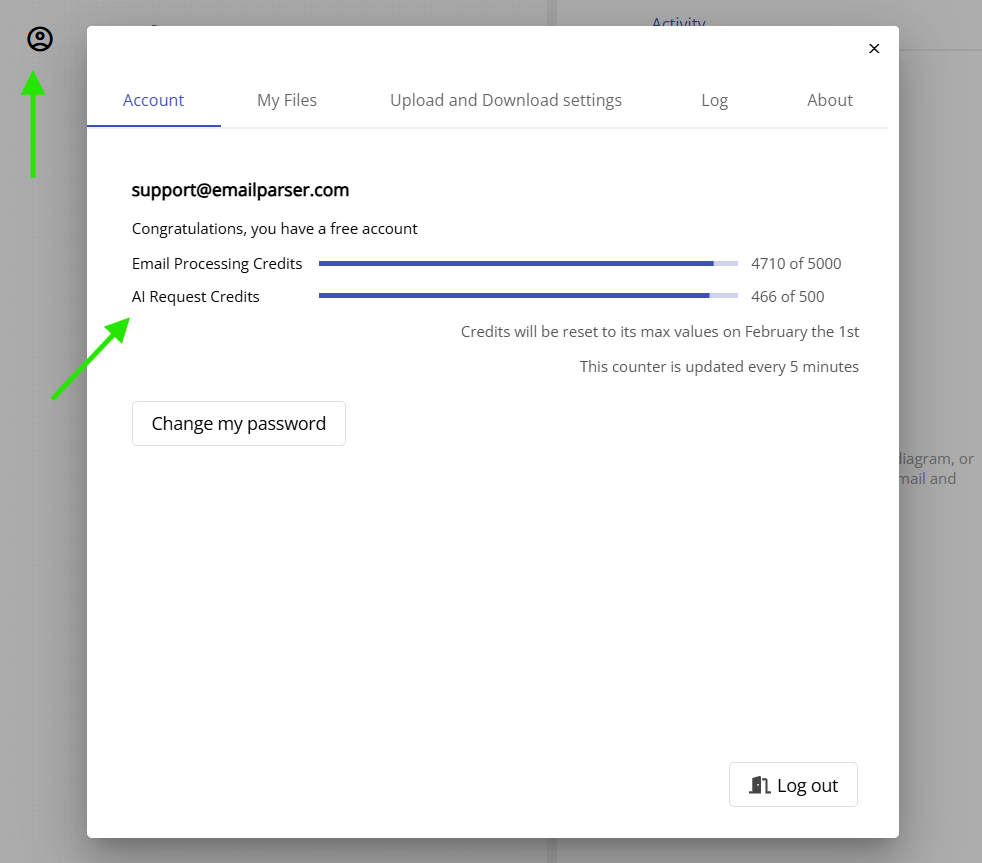
Each account in the Email Parser web app includes 500 AI credits per month. Every time the AI agent is invoked (for example, when an email is processed by an AI field or when an AI action runs), one or more credits are consumed. In most cases a single credit is used, but complex prompts or reasoning models may consume more than one credit per invocation.
Credits reset automatically every 30 days, in sync with your subscription renewal date. There is no way to purchase additional credits or top them up manually during the billing period. If 500 invocations per month is not enough for your volume, the recommended solution is to provide your own OpenAI API key (explained below).
Trial accounts also start with 500 AI credits, giving you a full opportunity to explore and test all AI features before committing to a subscription.
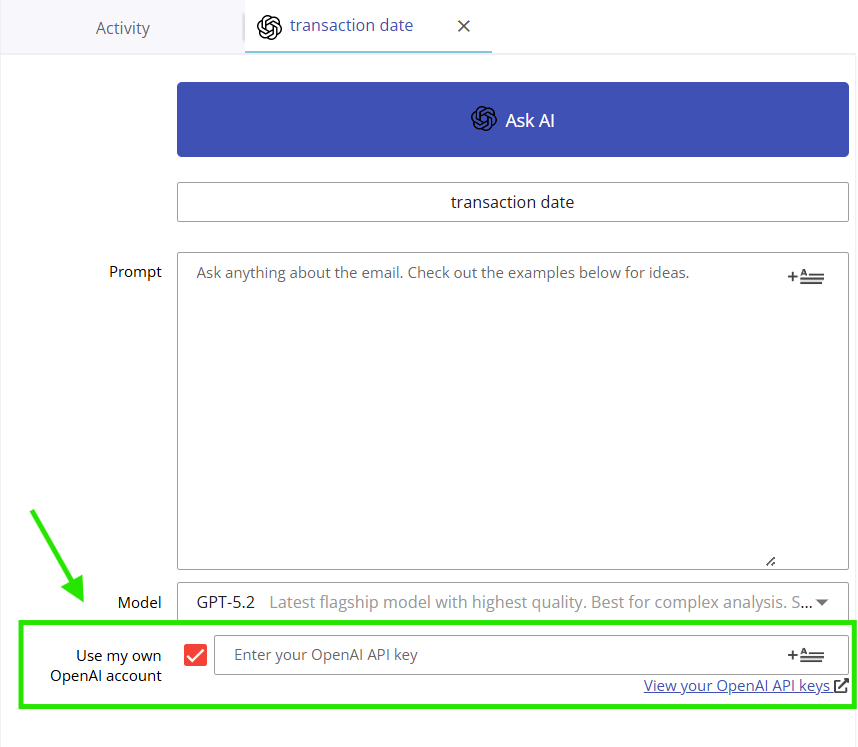
Using Your Own OpenAI API Key
If the built-in credit allowance is not sufficient for your needs, you can provide your own OpenAI API key. WEmail Parser will use it to call OpenAI on your behalf. In this case, no credits are consumed from your subscription.