Combining multiple filters to build complex filter rules
See also:
Filtering incoming emails
Using scripts to filter emails
Example – Basic use of a script to filter emails
What is a filter combination?
Filter combination is the most common technique for determining whether an email needs to be processed or ignored. If a single email filter is not enough to cover your filtering needs, combining multiple filters together is the easiest and most flexible approach. It is much simpler than writing a regular expression or a script-based filter.
How to create a filter combination
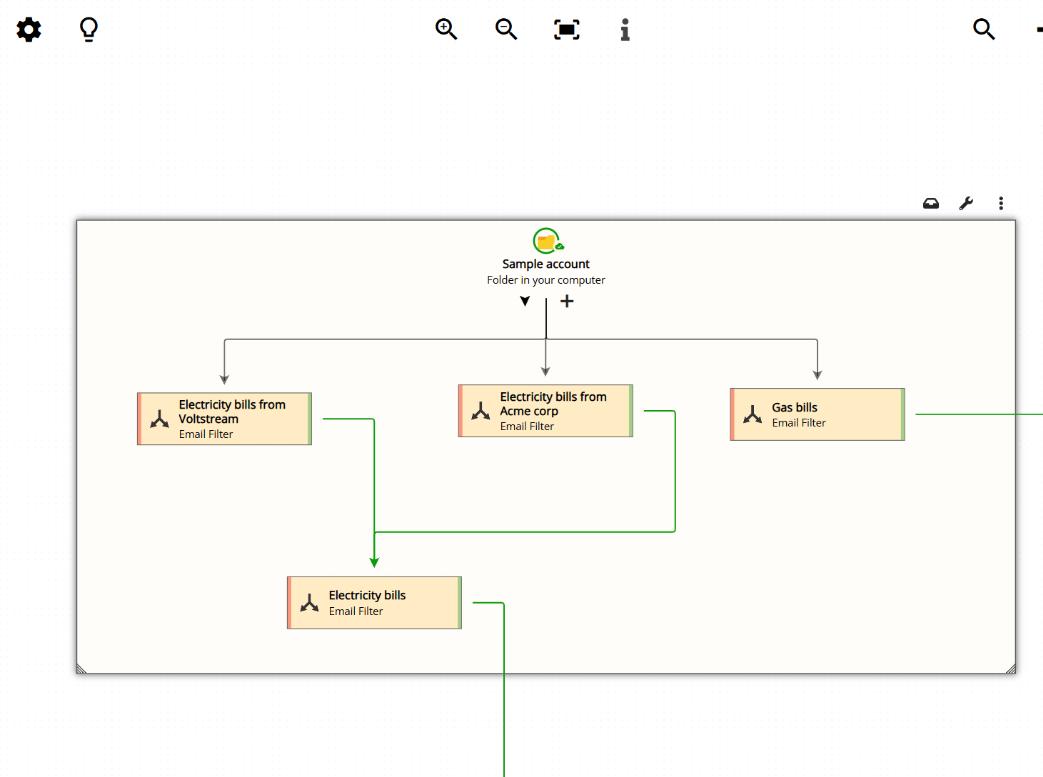
Creating a filter combination is quite simple: just attach one filter to another in the workflow diagram. You can do this by dragging the connector from one filter to the next, as shown below:
Understanding the green and red sides of a filter

Each filter has two ends. On the right side, there is a green connector. On the left side, there is a red connector. The green side represents a successful match (the email passes the filter condition), while the red side represents a failed match (the email does not pass).
If you want an email to be processed only when it passes the conditions set in two filters, you need to attach the green side of the first filter to the second filter, and then attach the green side of the second filter to the next step in your email processing workflow (a parser, an action, etc.).
Reading the workflow diagram example
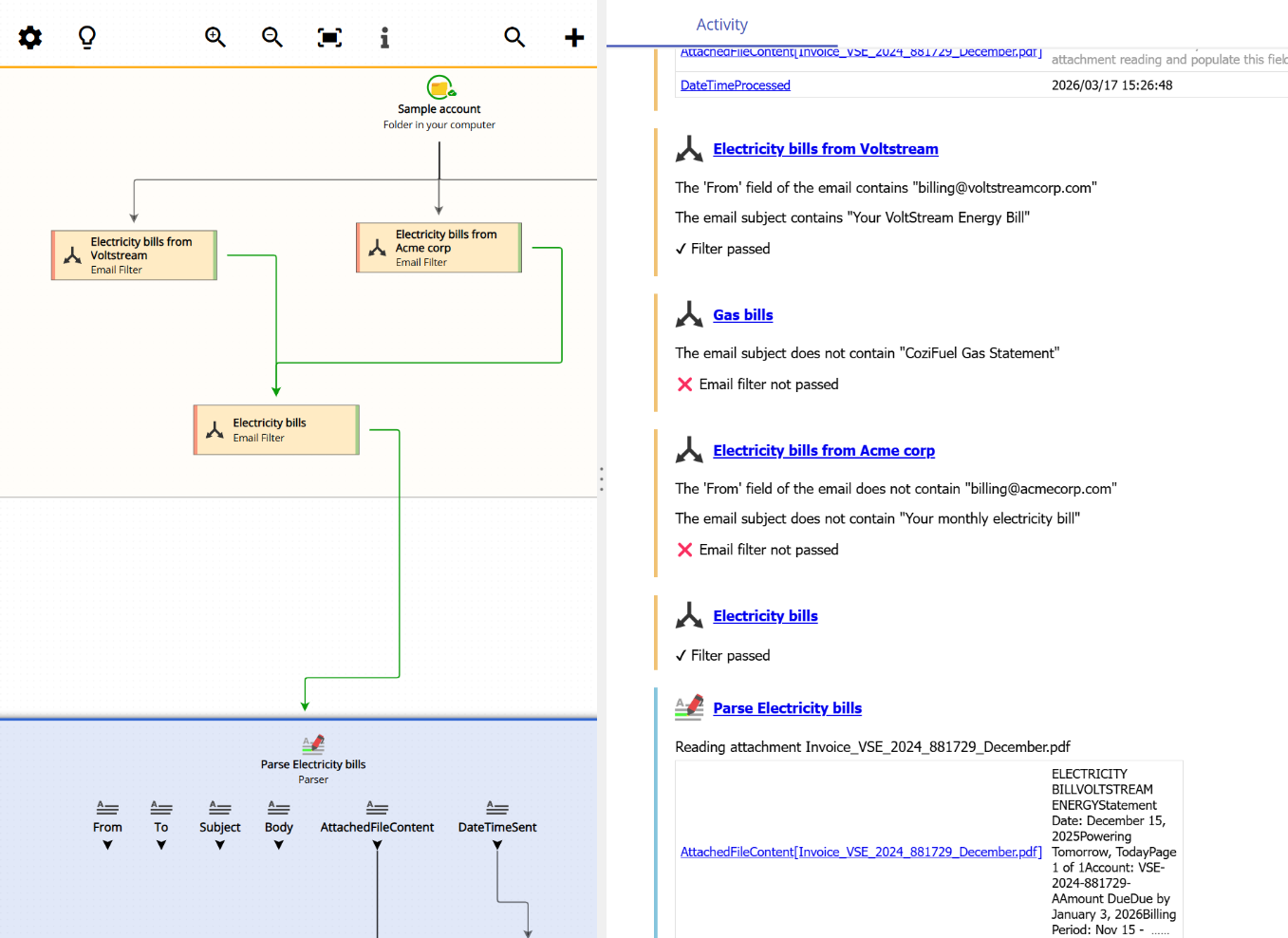
In the workflow diagram shown at the top of this page, the logic works as follows: an email only reaches the “Parse Electricity Bills” parser if it passes either the “Electricity bills from Voltstream” filter or the “Electricity bill from Acme corp” filter. Notice how both of these filters have their green sides connected to the next filter. Additionally, if any of these two filters is passed, the email must also pass the generic “Electricity bills” filter before it can proceed. You can see all the green sides attached in sequence, forming a chain of conditions that the email must satisfy.
Filter combination in action
When a new email arrives, Email Parser evaluates each filter in the chain and follows the green or red paths accordingly. The image below shows this process in action, where Email Parser applies the combined filter rules to determine whether an incoming email should reach the “Parse Electricity Bills” parser (the blue box):