What is an email parser?
See also:
What is a field
Capturing text with “Starts with. continues until.”
Capturing text with “Filtering and Replacing”
Capturing text with Regular Expressions
Capturing a HTML tag
Capturing text with a Script
An email parser is a tool that reads the content of an incoming email and automatically extracts specific pieces of information from it. This could be anything that appears in the email: a date, a shipping address, a product name, an invoice number, a total amount, a phone number, or really any text that matters to you. The key aspect of this process is that it happens automatically, without any manual intervention.
This capability is at the heart of Email Parser, and it is precisely why the application is called “Email Parser.” The parsing step (extracting the text) is the central piece of the automation workflow.
The Parser item in the workflow diagram
In Email Parser, parsing is done by adding a Parser item to the workflow diagram (displayed on the left side of the application). You can think of a Parser as a box where you define all the rules for capturing the data you need from the email.
Once you add a Parser to the workflow diagram, it shows as a blue box, typically connected upward to an email account (which feeds it the emails to process) and downward to one or more actions (which use the captured data to do something useful, like saving it to a spreadsheet or sending a notification).
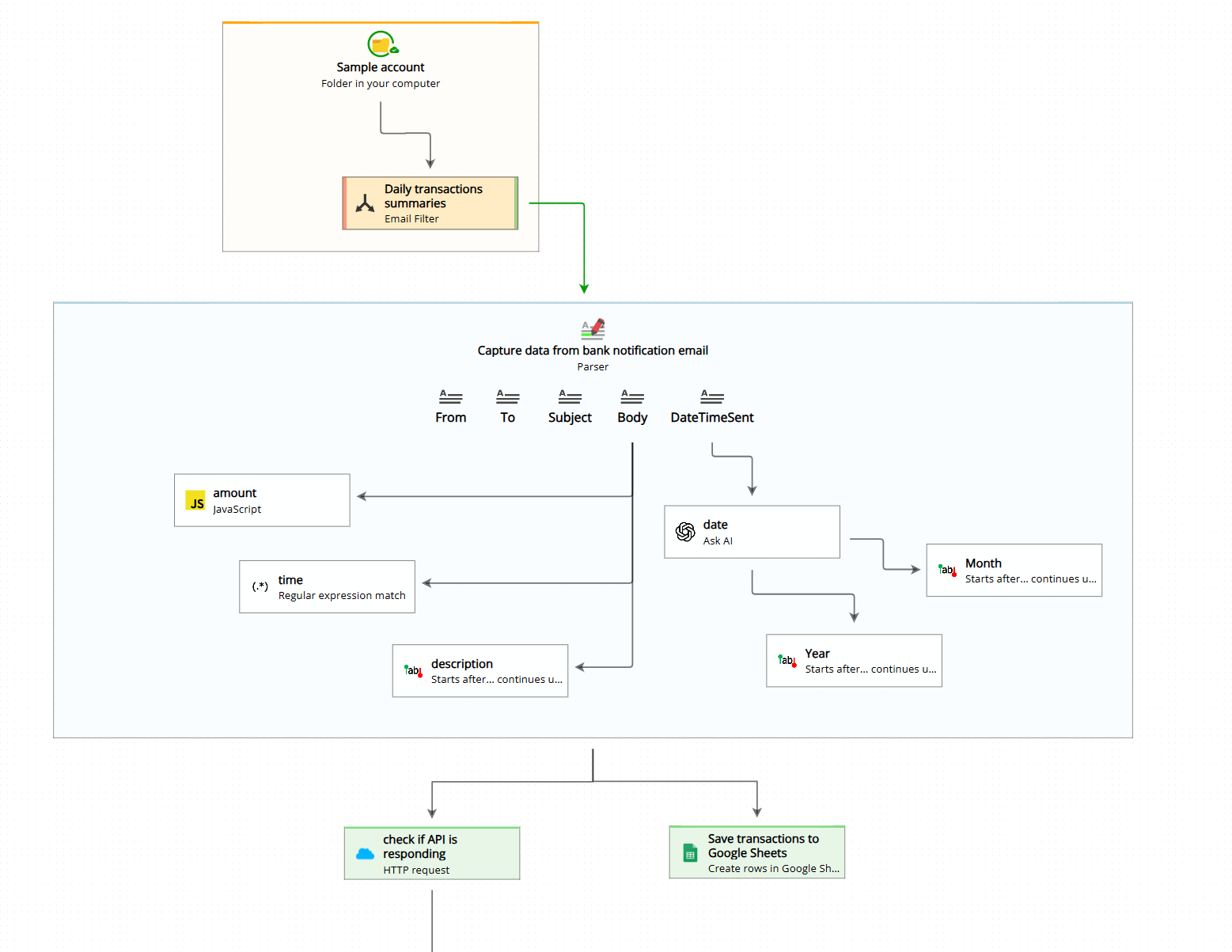
As you can see in the image above, a Parser contains a list of fields. Each field represents one specific piece of information you want to capture from the email. For example, a Parser processing bank statement emails might have fields for the account holder name, the transaction date, the merchant name, and the transaction amount. Each field has its own set of rules that tell Email Parser exactly how to locate and extract that piece of text.
Defining capturing rules
Email Parser offers several methods for defining how each field should be captured. The most commonly used method is “Starts after. continues until.”, which lets you locate a piece of text by describing what appears immediately before it and what appears immediately after it. For example, if an email always contains the text “Order number: 12345 has been shipped”, you could set the rule to start after “Order number: ” and continue until ” has been shipped” to reliably capture the order number from every email.
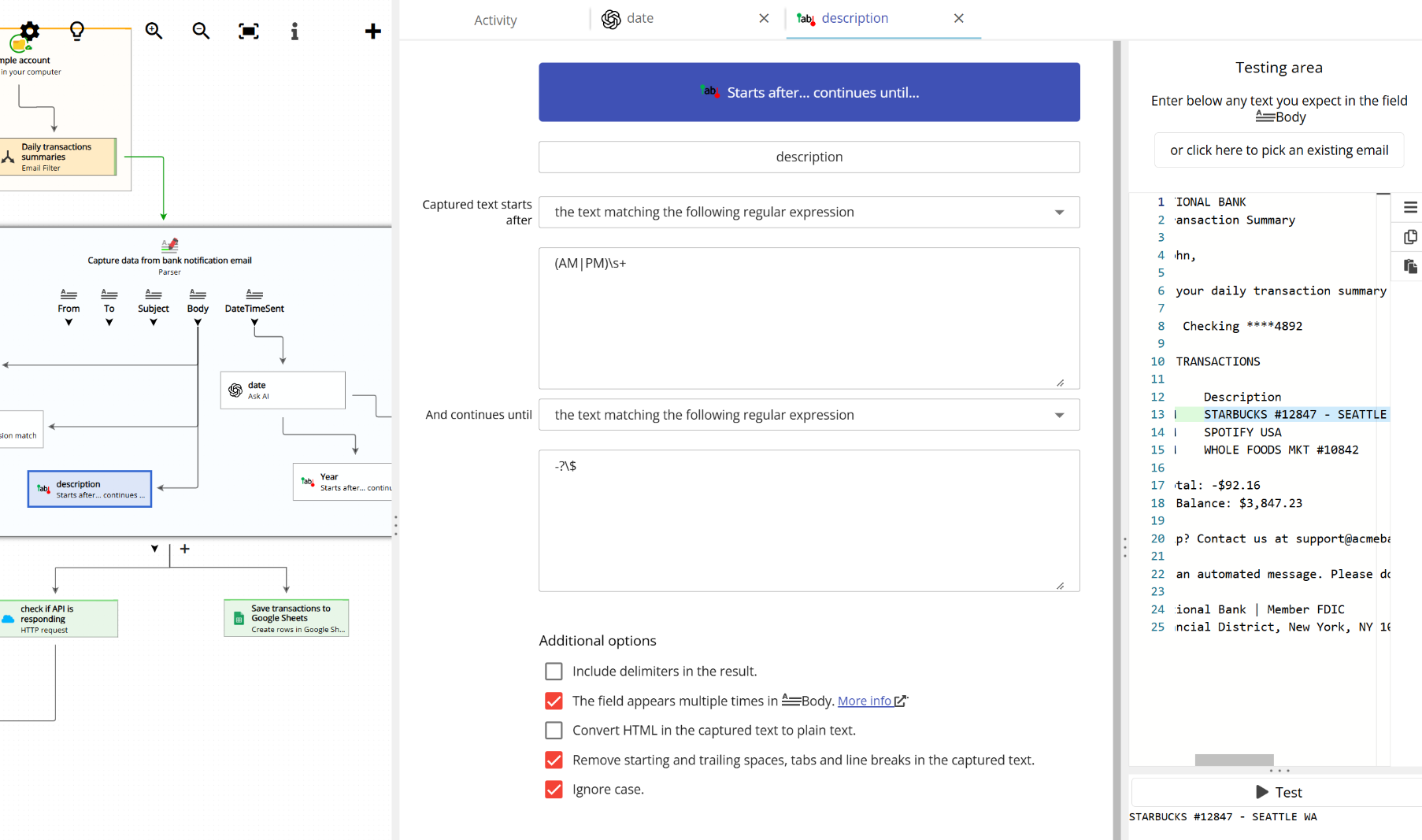
Rules can also be chained together, which is very powerful. For instance, you might first capture a full address from the email body, then apply a second rule to extract just the postal code from that address, and then a third rule to extract the area code from the postal code. Each rule builds on the result of the previous one, allowing you to drill down into very specific pieces of information step by step.
Capturing data using AI
Another popular and powerful capturing method is using artificial intelligence to answer a question about the email content. Instead of defining text boundaries, you simply ask a question in plain language, such as “What is the product number?” or “What is the total amount due?”. Email Parser will use AI to read the email and return the answer to your question as the captured value for that field.
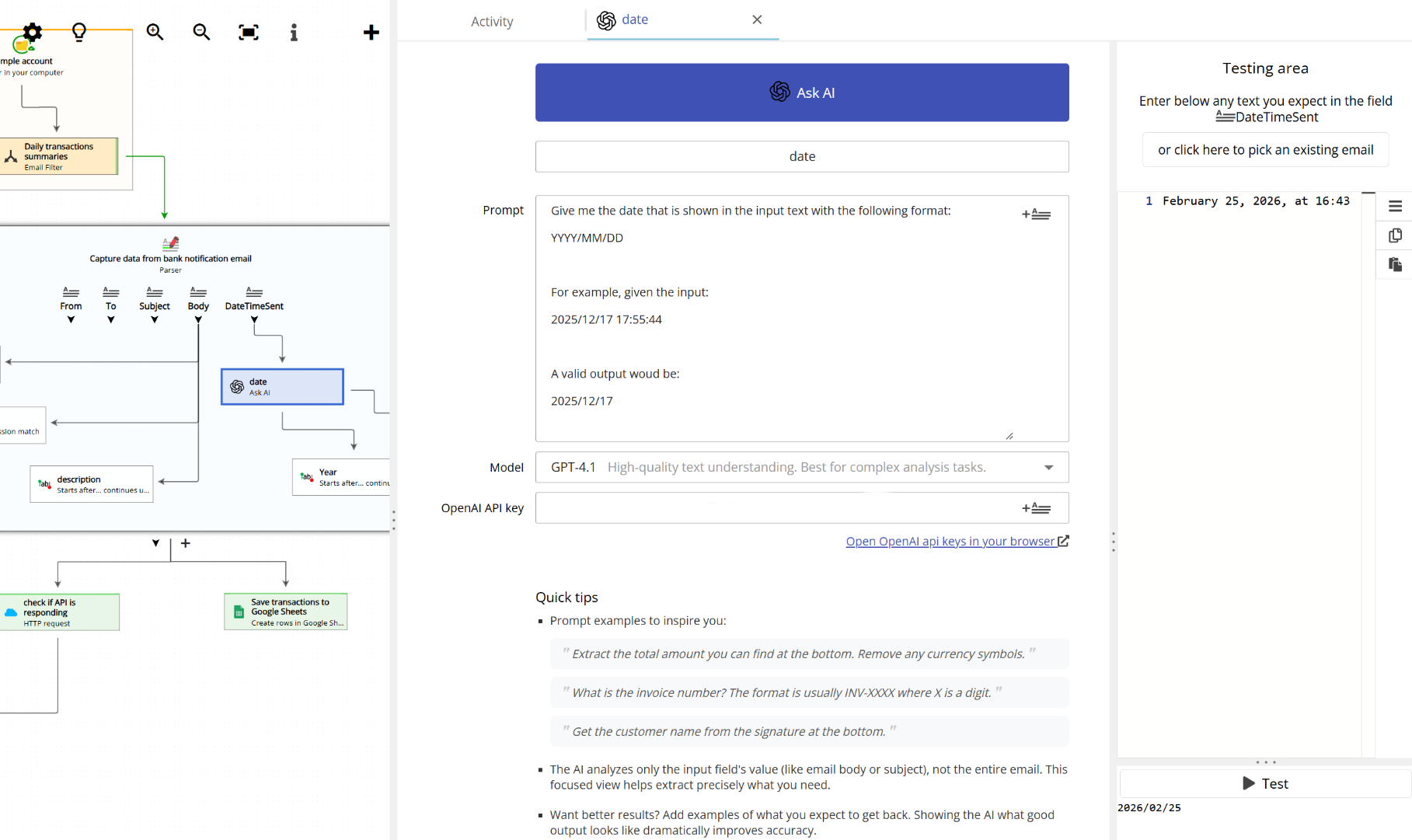
This method is especially useful for emails whose content or format varies from one message to the next, where rigid text boundary rules might not work reliably. The AI approach is flexible and can understand context, making it ideal for unstructured or conversational email content.
For users who need even more control, Email Parser also supports additional capturing methods such as filtering and replacing text, matching with regular expressions, capturing HTML tags, and even running custom scripts. These advanced options give experienced users complete flexibility over how data is extracted.
What happens after parsing?
Once the Parser runs and all the fields have been captured, those values become available throughout the rest of the workflow. You can use them in any subsequent action, for example to save the extracted data to a spreadsheet, insert it into a database, include it in an outgoing email, or pass it to an external system via a web request. The Parser is the step that turns an unstructured email into structured, usable data.
