Capturing text with Regular Expressions
See also:
Capturing text with “Filtering and Replacing”
Capturing text with “Starts with… Continues until…”
Example – Basic regular expression use
Highly recommended sites:
Regex One – Learn Regular Expressions
Regex101 – Online regex tester and builder
Regular expressions describe the format of the text you want to capture. Compared to the other capture methods available in Email Parser, they are more powerful but also more complex to learn and use. Since regular expressions are widely used in many other contexts and are very well documented online, this help topic is only a brief introduction to what they are and how they work in Email Parser. There are entire books and dedicated websites covering this subject in depth.
The basics of Regular Expressions
A regular expression is a text string that uses tokens to match text. For example, the token \d matches any digit from 0 to 9:
| Regular expression | Input text | Matches |
|---|---|---|
| \d\d\d | Hello John, please call me to 788-383-134 | 788 383 134 |
| \d\d\d- | Hello John, please call me to 788-383-134 | 788- 383- |
| \d\d\d-\d\d\d-\d | Hello John, please call me to 788-383-134 | 788-383-1 |
| \d\d\d\d\d | Hello John, please call me to 788-383-134 | no matches |
As you can see, given a regular expression and an input text, there can be no matches, a single match, or multiple matches.
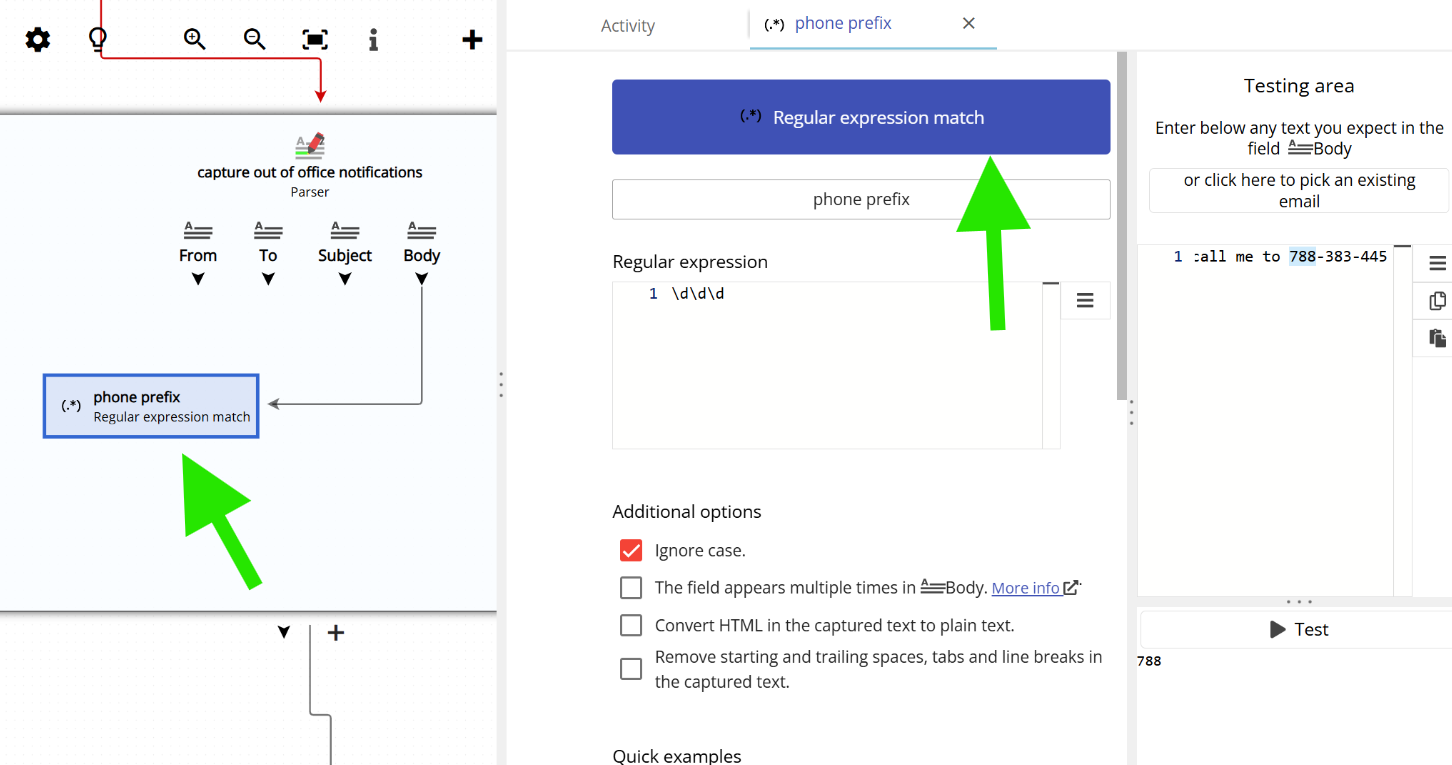
In Email Parser, to capture text with a regular expression, you first need to create a field in the workflow diagram (on the left side of the application) and then choose “Regular expression match” as the capture method, as shown below:
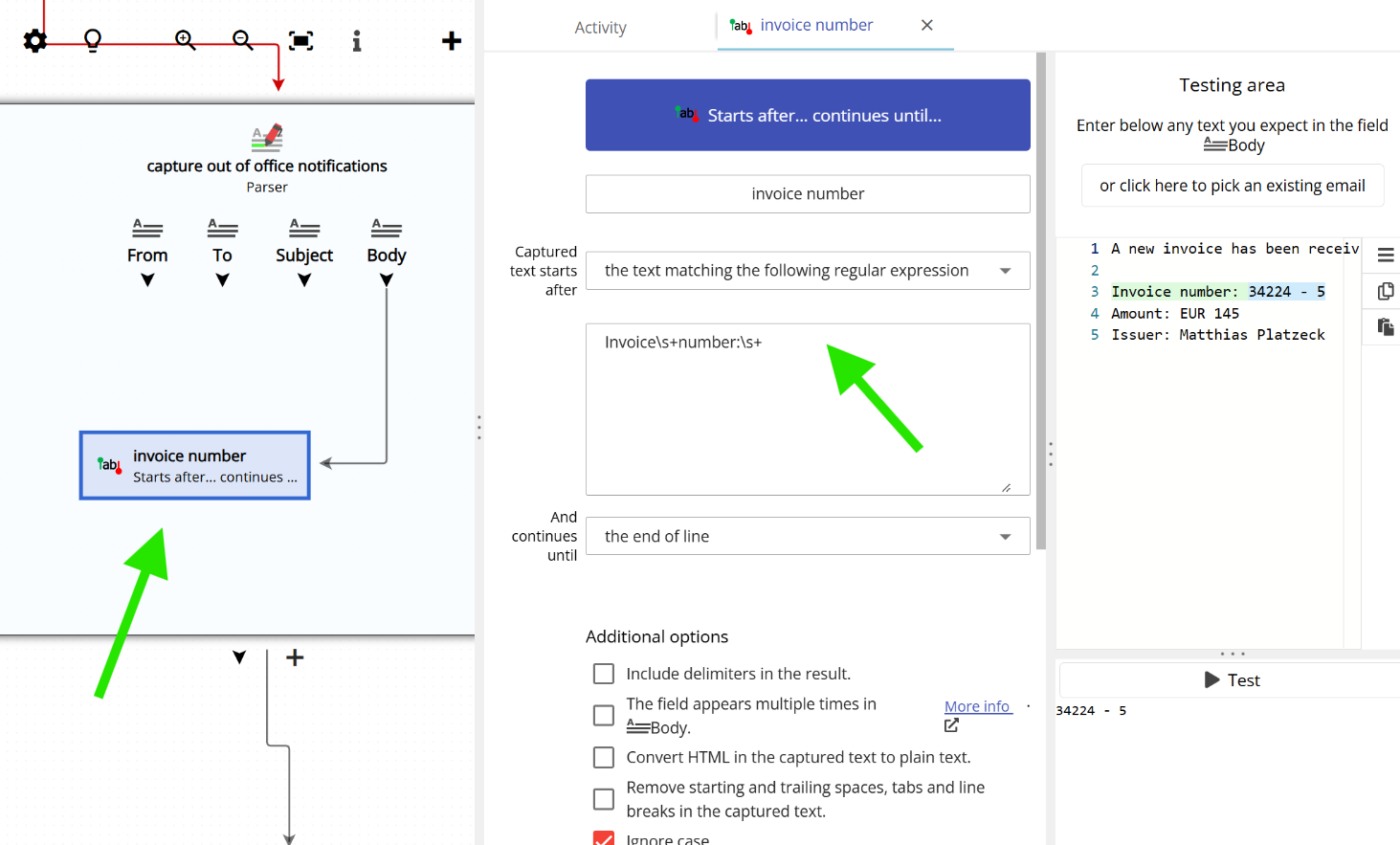
Additionally, if you select “Starts with… Continues until…” as the capture method and then choose “the text matching the following regular expression” as the start delimiter, you can use a regular expression to define where the captured text begins. See below:
There are many other types of tokens. The most commonly used ones are:
| Token | |
|---|---|
| . | Matches any character except a line break |
| \s | Matches a whitespace character or a line break |
| \w | Matches any word character (such as a, b, c, d, e…) |
| [aeiou] | Matches any vowel. You can replace “aeiou” with any set of characters – for example, [abc] will match a, b, or c |
| \n | Matches a newline character |
| [a-zA-Z] | Matches any letter in the range a-z or A-Z |
You can combine tokens to build more complex text captures. For example:
| Regular expression | Input text | Result |
|---|---|---|
| \w\d\d\d-\d\d\d | The order id is A233-531 | A233-531 |
Quantifiers are used together with tokens to build more flexible regular expressions:
| Quantifier | |
|---|---|
| * | 0 or more of the previous expression. |
| + | 1 or more of the previous expression. |
| ? | 0 or 1 of the previous expression. Also forces minimal (non-greedy) matching when an expression could match several strings within the input. |
For example:
| Regular expression | Input text | Captured text |
|---|---|---|
| \d+ | Hello John, please call me to 788-383-134 | 788 |
| -\d+-? | Hello John, please call me to 788-383-134 | -383- |
| J\w* | Hello John, please call me to 788-383-134 | John |
| .* | Hello John, please call me to 788-383-134 | Hello John, please call me to 788-383-134 |
Capturing text with a capture group
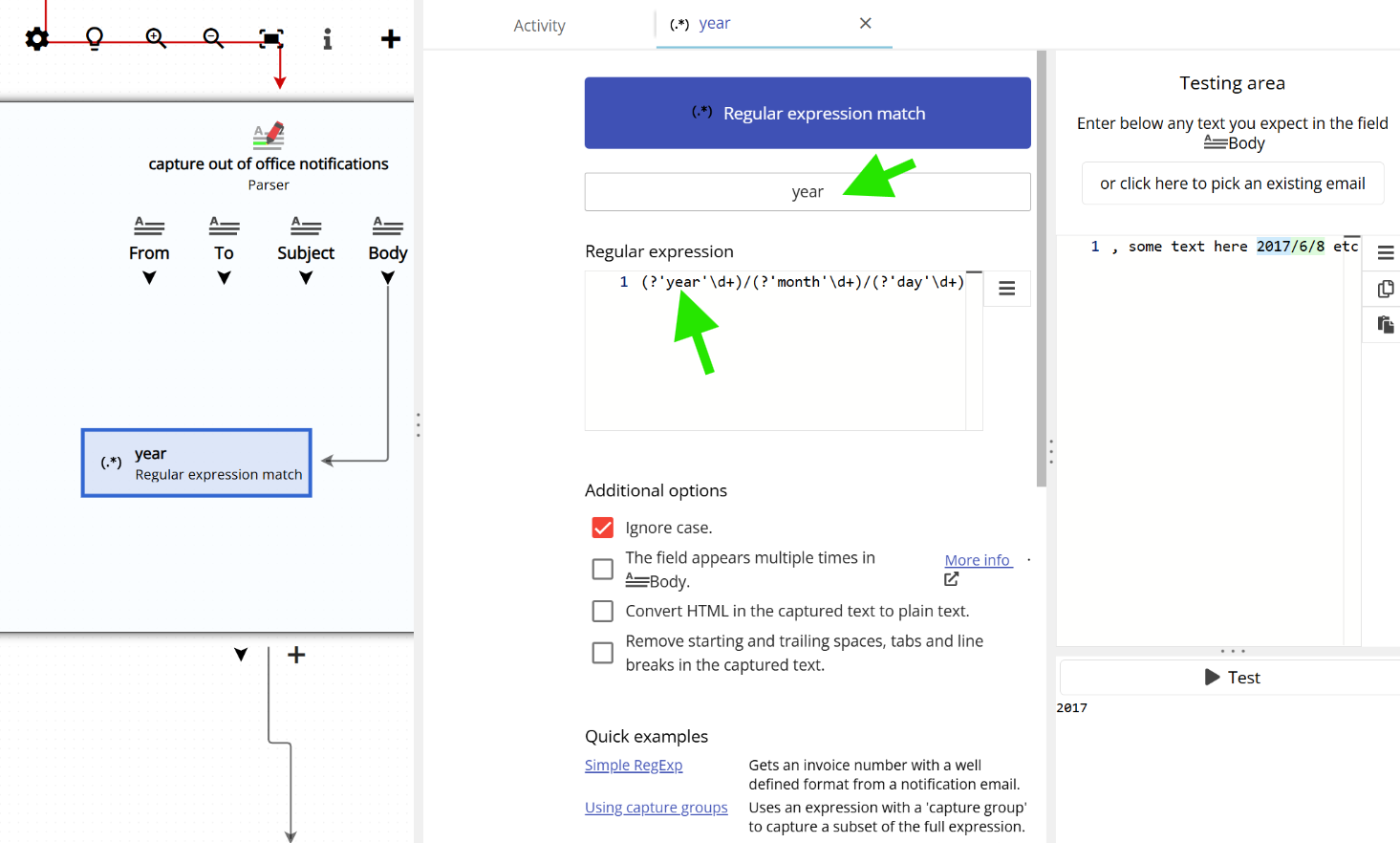
A capture group is a labeled section within a regular expression that identifies a specific part of the matched text. For example, in a phone number you might label a portion as “prefix”; in a date, you might label portions as “month”, “year”, and “day”. Capture groups are useful when you want to extract only a specific part of the full match rather than the entire matched string.
You define a capture group by embedding a name directly inside the regular expression, like this:
In this example, the capture group named year is enclosed in parentheses. In plain English, this means: “Year is the four-digit number that appears after two digits, a dash, two more digits, and another dash.”
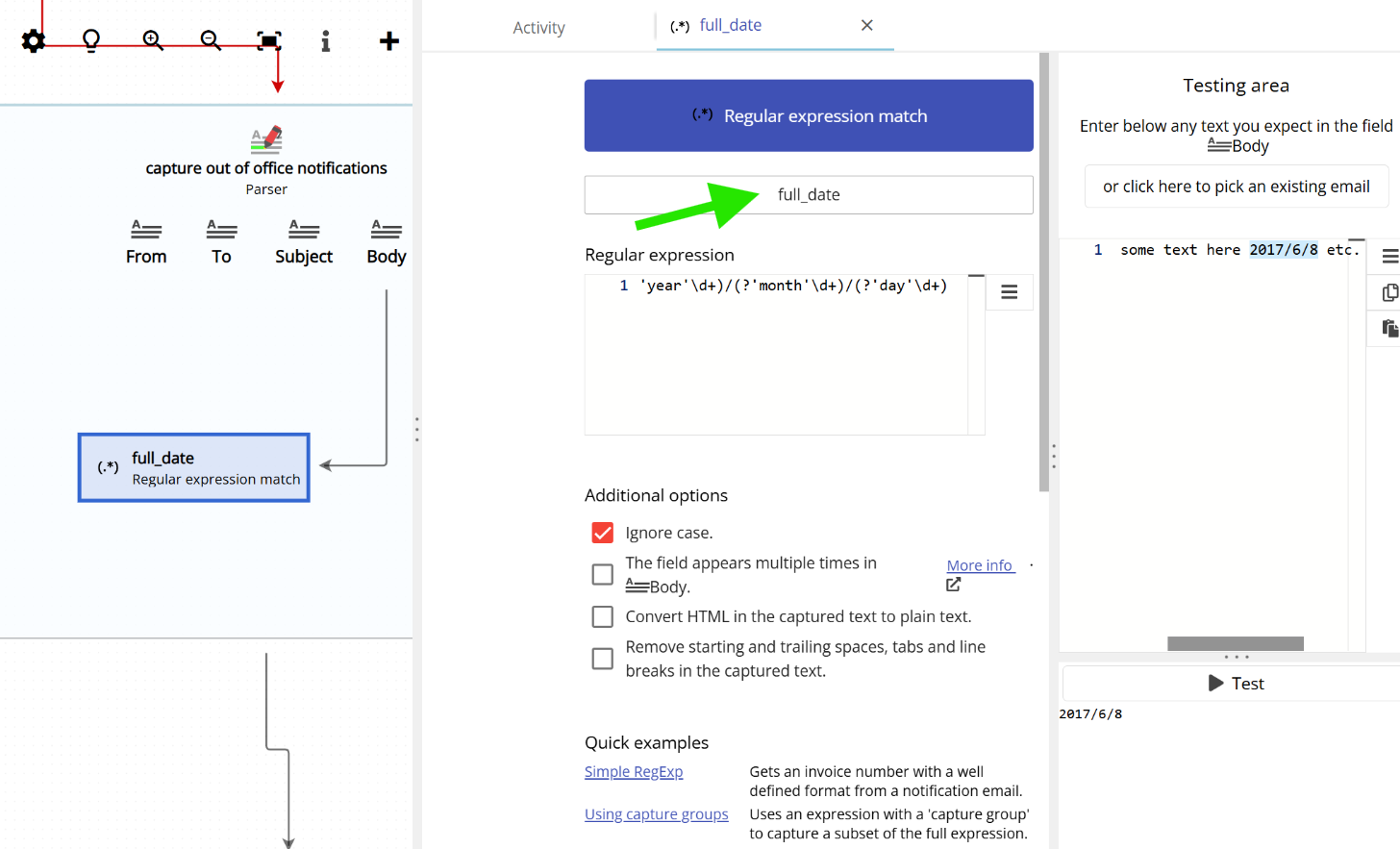
If Email Parser finds a capture group whose name matches the field name, it will use that portion as the captured text. Otherwise, it will use the full match. For example:
| Email Parser field name | Regular expression | Input text | Captured text |
|---|---|---|---|
| prefix | (?’prefix’\d+)-\d+-\d+ | Hello John, please call me to 788-383-134 | 788 |
| month | (?’year’\d+)/(?’month’\d+)/(?’day’\d+) | The date is 2017/6/8. Blah blah | 6 |
| year | (?’year’\d+)/(?’month’\d+)/(?’day’\d+) | The date is 2017/6/8. Blah blah | 2017 |
| address | (?’year’\d+)/(?’month’\d+)/(?’day’\d+) | Hello Carl, some text here 2017/6/8 etc et | 2017/6/8 |
| address | (?’year’\d+)/(?’month’\d+)/(?’day’\d+) | Hello Carl, some text here etc etc |