Running a SQL statement in a Microsoft SQL server database
See also:
Microsoft SQL server connection strings
The SQL Server Database action allows you to run SQL statements against a Microsoft SQL Server database each time an email is processed. This is useful for inserting, updating, or querying data based on the content extracted from incoming emails.
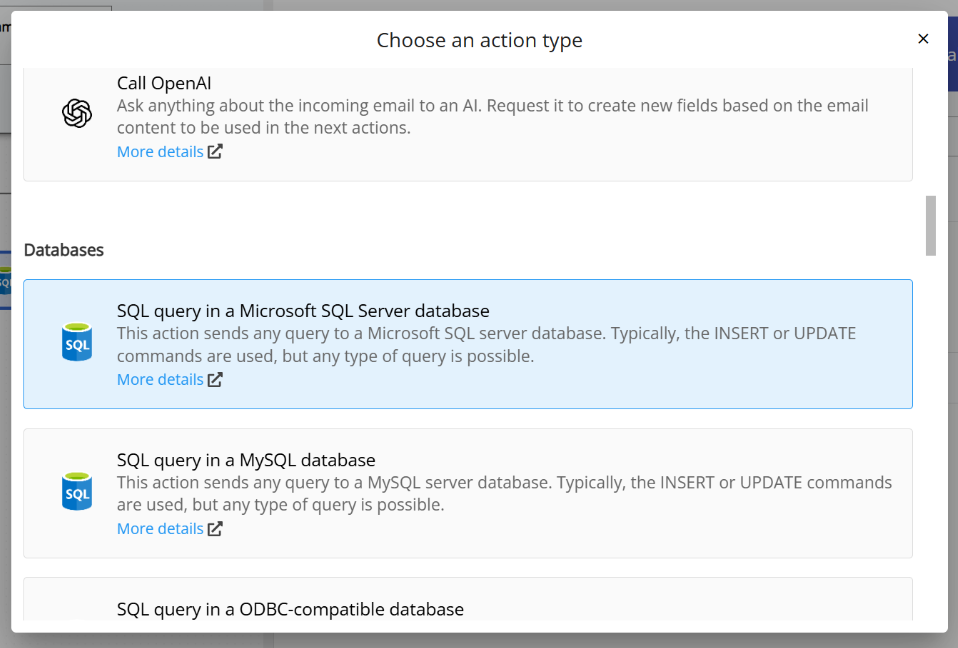
To add this action, click the Add action button in the workflow diagram and select SQL Server Database from the list of available action types:
Once created, the action opens a configuration screen where you can set up the connection string, write your SQL statement, and use field placeholders to include values captured from the email:
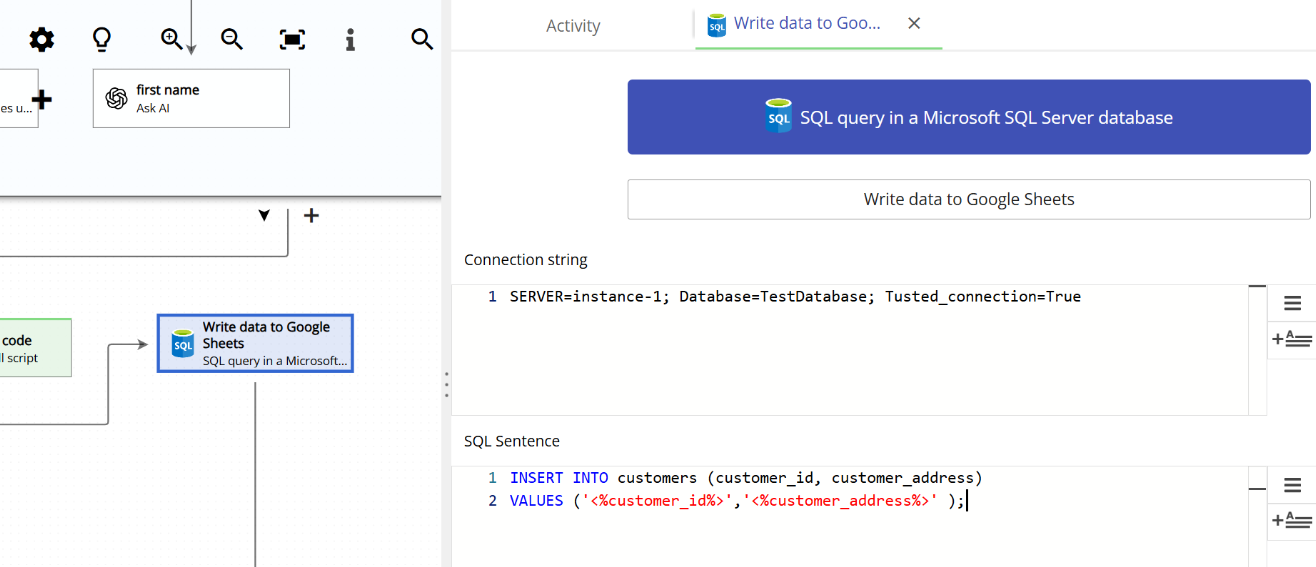
Writing the SQL Server connection string
If you run Email Parser on the same computer where SQL Server is installed, the connection string is usually straightforward, as shown in the screenshot above. For more complex scenarios, or if you are not sure where to start, the best approach is to use this tool from Microsoft TechNet. That link includes a step-by-step guide on how to generate a connection string that you can then copy into Email Parser.
Writing the SQL statement
Since Email Parser itself is not a SQL editor, it is strongly recommended that you use an external tool to build and test your SQL statements before copying them into Email Parser. The most widely used tool for this is Microsoft SQL Server Management Studio. If you have already installed SQL Server, you will probably have it installed as well. If not, you can download it for free from the Microsoft website.
How to include captured email text in a SQL statement
You can use field placeholders. When Email Parser finds a placeholder in a SQL statement, it replaces it with the actual field value. For example, this SQL statement:
INSERT INTO customers (customer_id, customer_address)
VALUES ('<%customer_id%>', '<%customer_address%>');
Will be sent to SQL Server like this:
INSERT INTO customers (customer_id, customer_address)
VALUES ('8391', '211 Throop Ave, Brooklyn, NY 11206')
What happens with SELECT queries?
SELECT queries generate Email Parser fields that you can use in subsequent actions. There is a dedicated topic that covers this in detail.
