How to save emails as .EML or .MSG files
See also:
Using .EML and .MSG files as email source
Email Parser includes an action called Save current email that, when placed in the workflow, saves the email being processed to a file. The email can be exported as an .eml or .msg file, depending on what you need. The EML file format can be opened with popular email clients such as Microsoft Outlook Express, Lotus Notes, Windows Mail, Mozilla Thunderbird and Postbox. MSG files can be opened with Microsoft Outlook.
Configuring the Save current email action
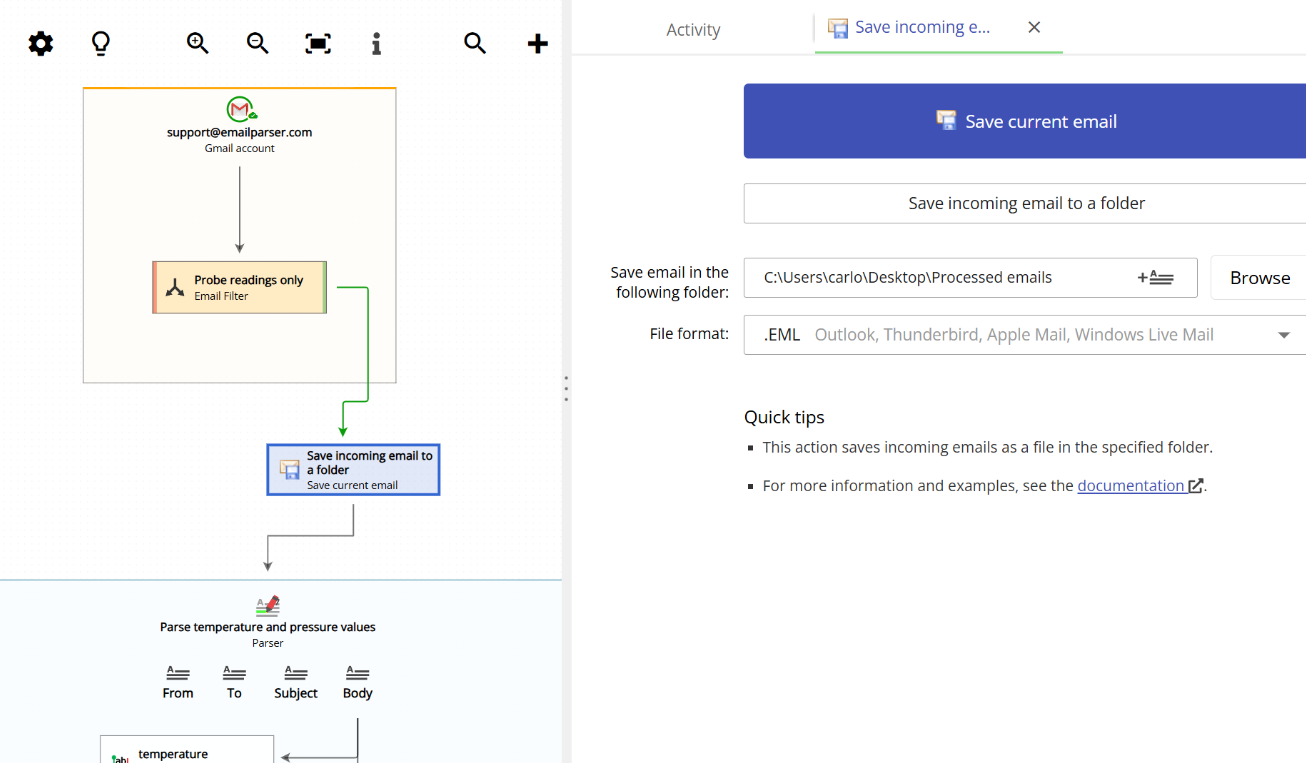
The configuration of this action is very straightforward. You only need to choose two things: the file format you want to use (.eml or .msg) and the folder where you want the email file to be saved. Once these two settings are in place, the action is ready to run.
Fields created by this action
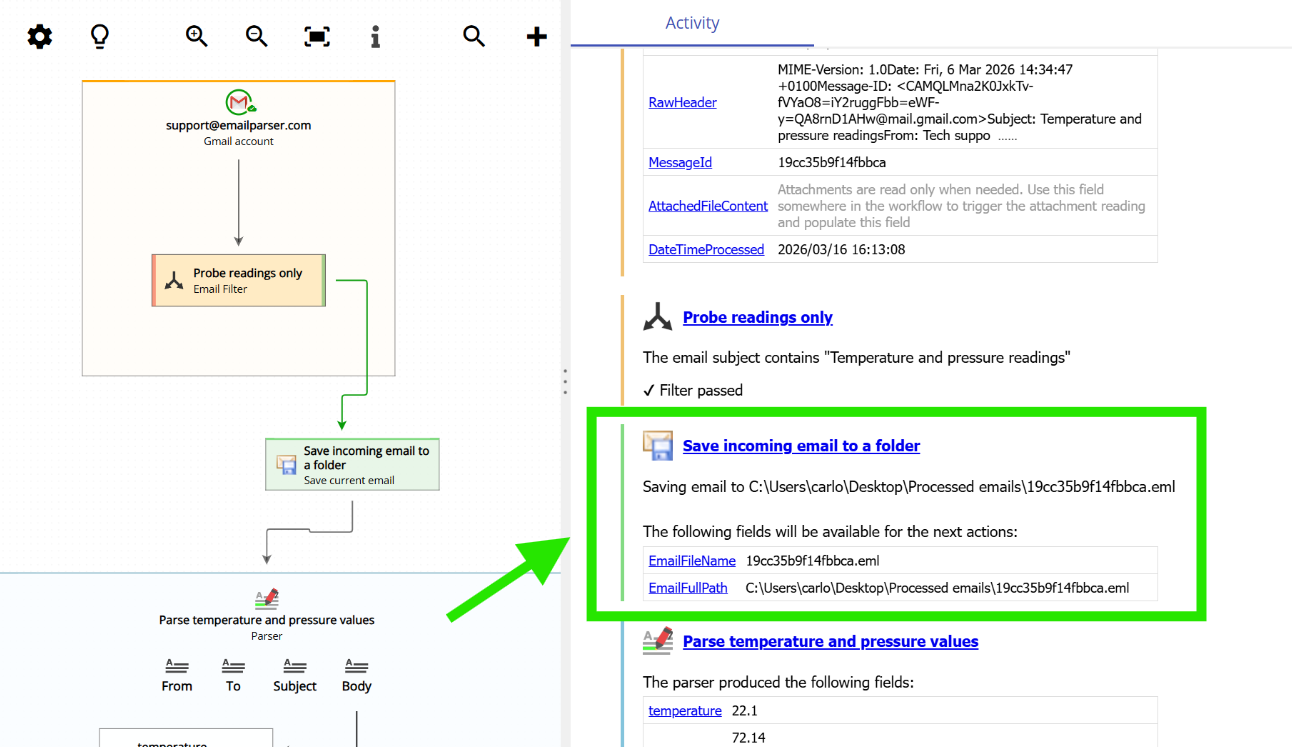
When the Save current email action runs, it does two things. First, it saves the email to a file in the folder you specified. Second, it creates two fields that become available to any subsequent actions in the workflow:
- EmailFileName: contains the name of the saved file (for example,
message_id_12345.eml). - EmailFullPath: contains the complete file path where the email was saved (for example,
C:\emails\message_id_12345.eml).
These fields are optional to use, but they can be very handy if you need to reference the saved file in a later action. For instance, you could use EmailFullPath in a subsequent action to attach the saved email to another email, move it to a different folder, or process it further.
The screenshot below shows the run log of Email Parser after the Save current email action has been executed. Notice that the two fields, EmailFileName and EmailFullPath, are highlighted in green, confirming that they have been created and are ready to be used by the following actions in the workflow.