Capturing an HTML tag by the tag properties
See also:
Overview on the different methods of how to Capture an HTML tag
The text of the email body is available in plain text and in HTML. For capturing text from the HTML version of the email you can use XPath and CSS selectors but a more easy-to-use method is giving Email Parser a set of properties that a given HTML tag must meet:
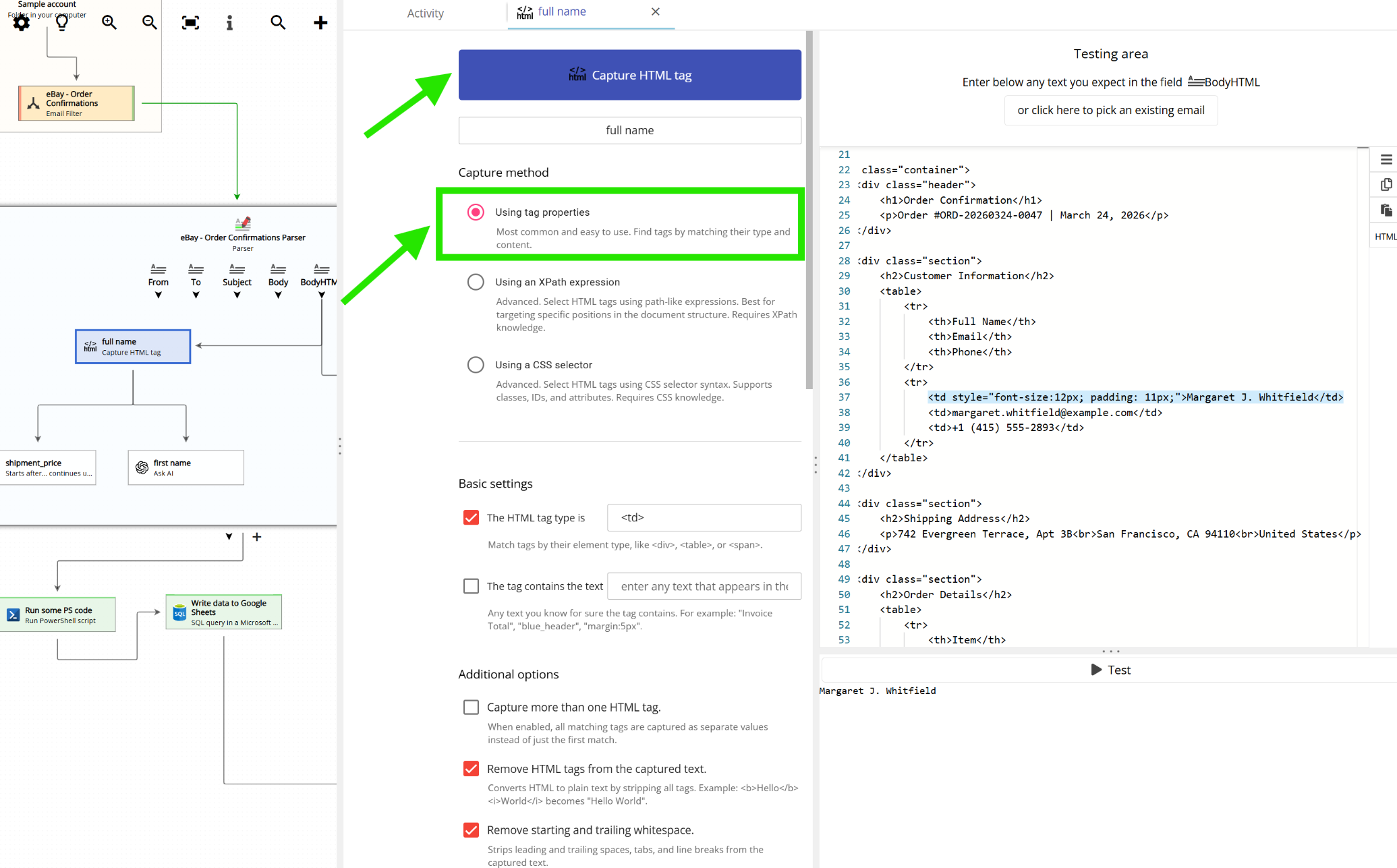
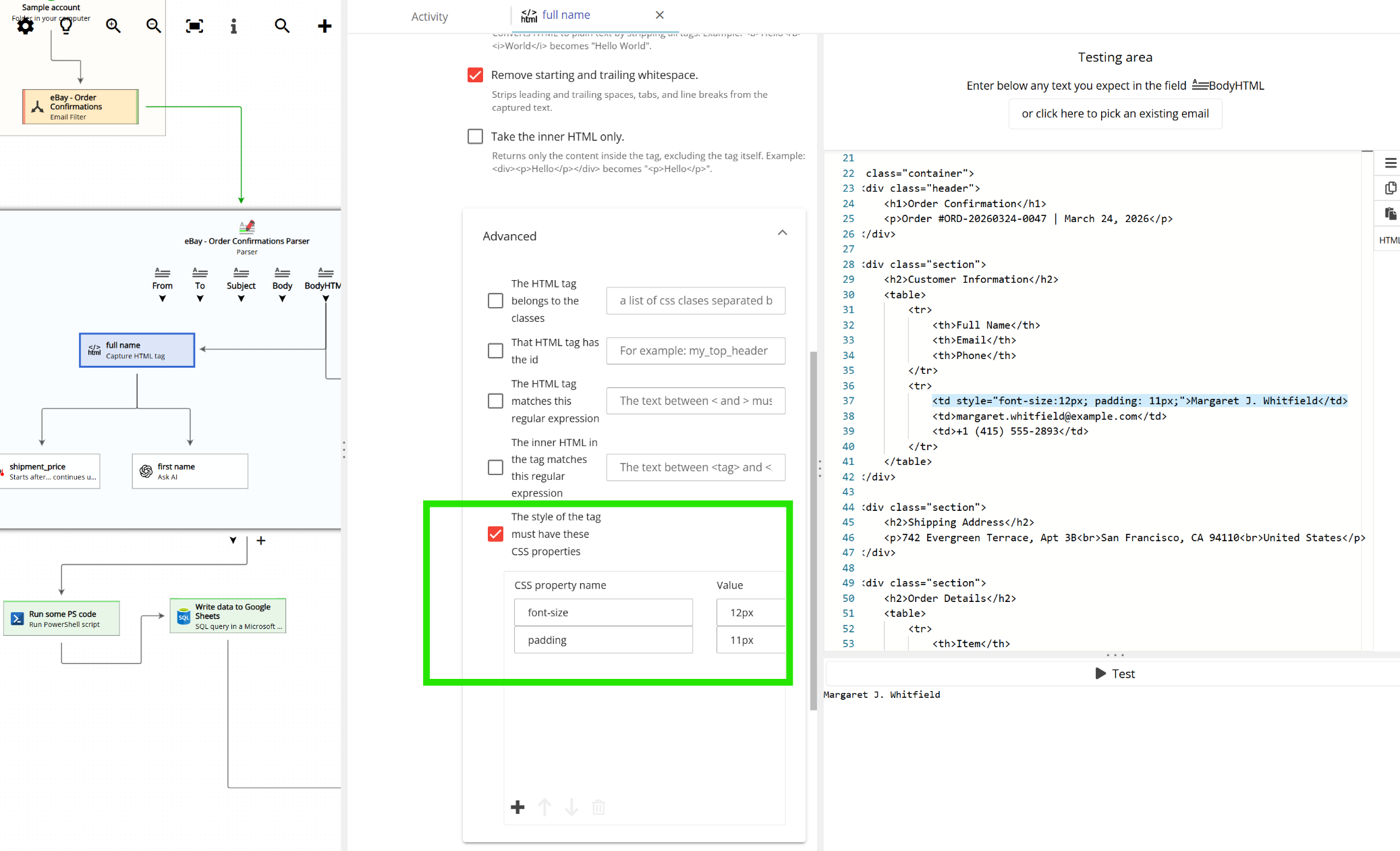
Scrolling down, additional options are available:
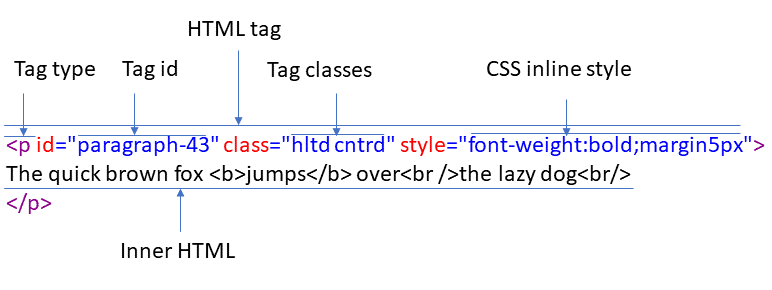
The different settings correspond to the different parts of an HTML tag:
For example, in this email:
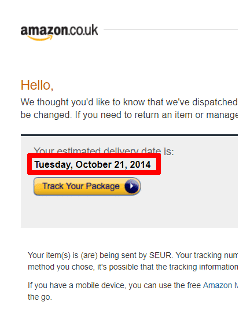
The estimated delivery date is bold and the size is a bit larger than the rest of the text. Let’s take a look at the HTML code and locate where the delivery date is:
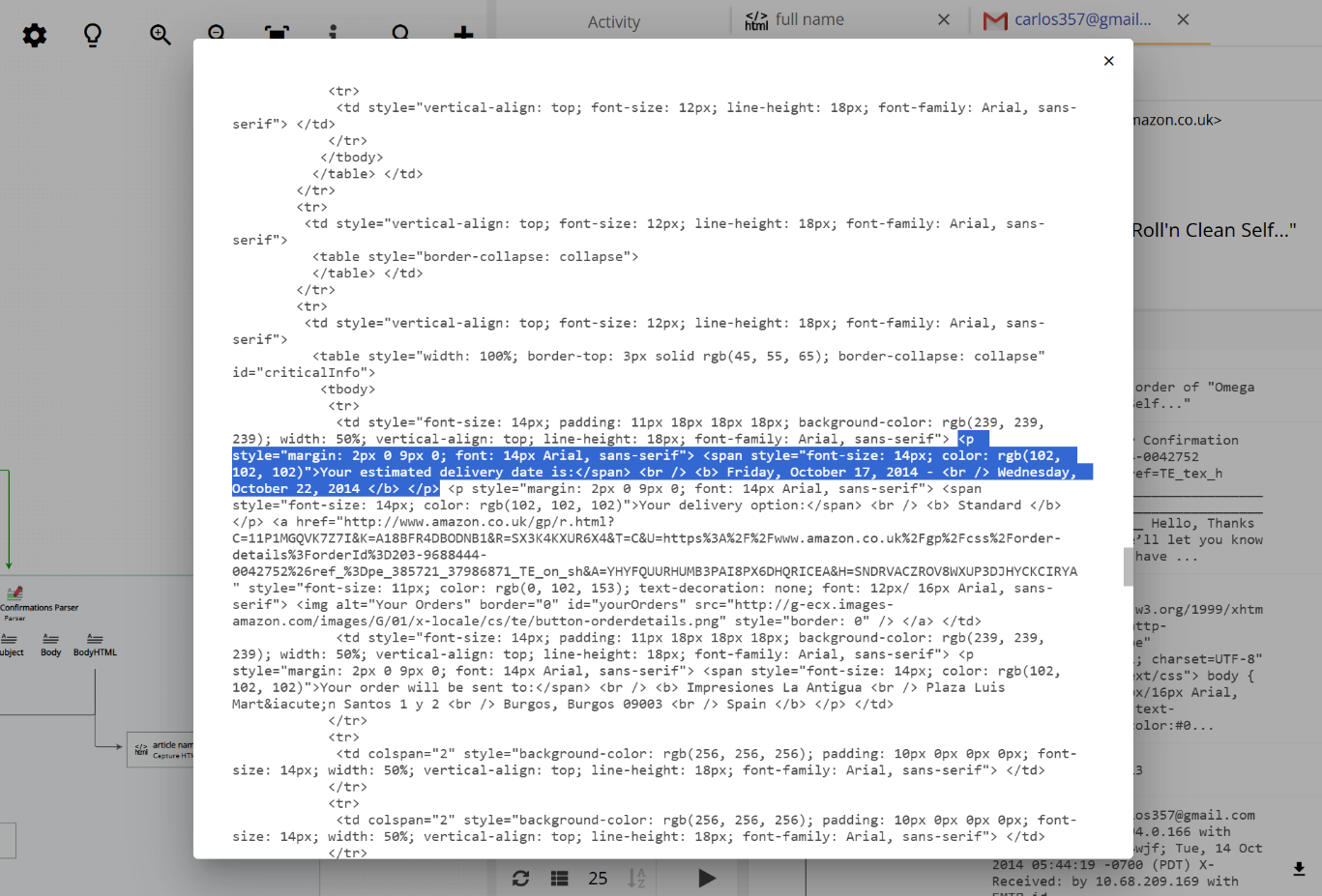
The text “Tuesday, October 21, 2014” is inside a <td> tag with some special styling. We take advantage of this and set up “capture HTML tag” as following:
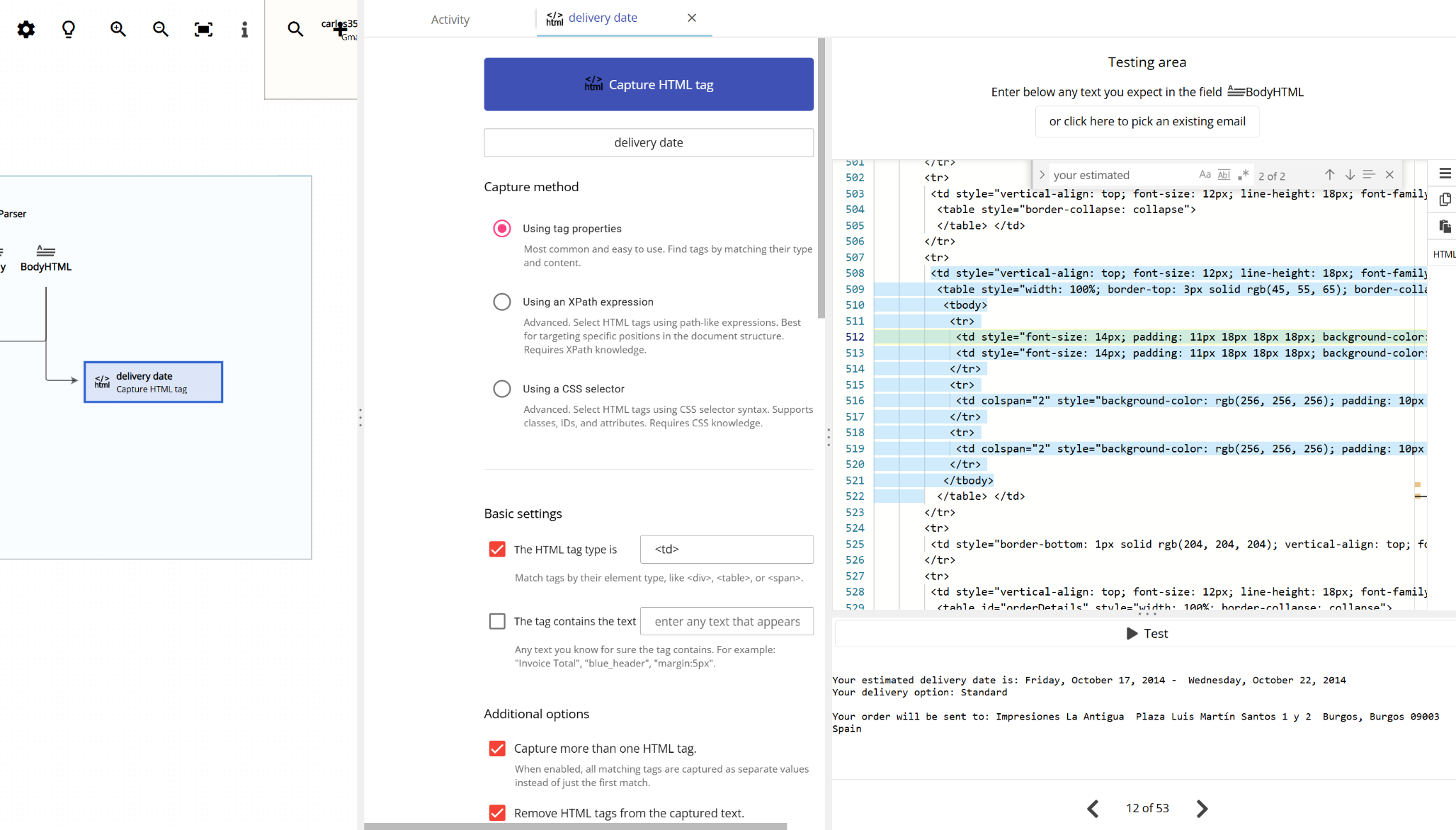
You will find that configuring this capture method requires a lot of trial and error. Usually, more than one HTML tag share the same styling and/or class names and you have to tweak the different options that Email Parser gives you in order to find what HTML styling differences the text you want to capture from the rest.
