How to store an email attachment in a MySQL database
See also:
How to save attachments automatically
Running a SQL statement in a MySQL server database
How to run an action multiple times
How to use LOAD_FILE to load a file into a MySQL blob? (stackoverflow.com)
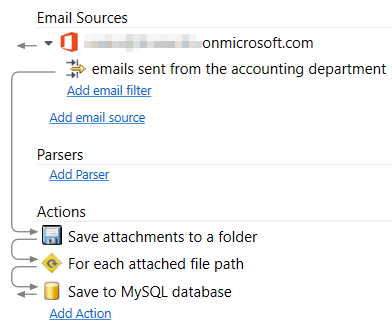
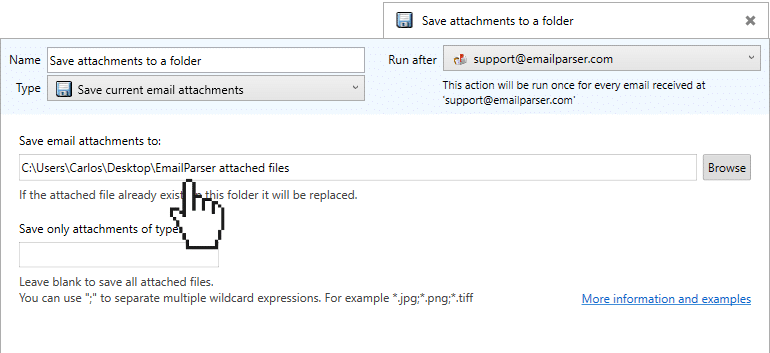
This example shows how to save an email attachment in a MySQL database table as a BLOB column. In the picture above you can see an overview of the process. First, we save to a folder the attachments:
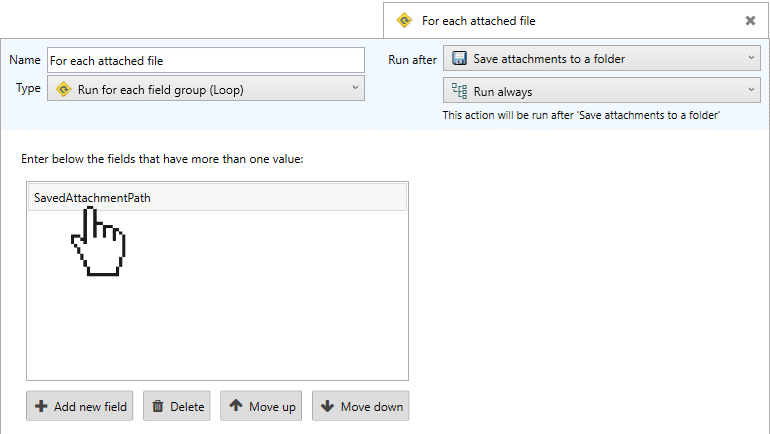
Then, in the next step, we loop for each SavedAttachmentPath value. This field is created by the previous action and it contains one value for each saved attachment:
And finally, we run a SQL sentence. The syntax changes between Oracle, Ms SQL server, Access, etc. They all use a different syntax for adding binary content (BLOB) from a file. For MySQL is:
INSERT INTO table1 VALUES (1,LOAD_FILE('C:\path_to\the_file.pdf'));
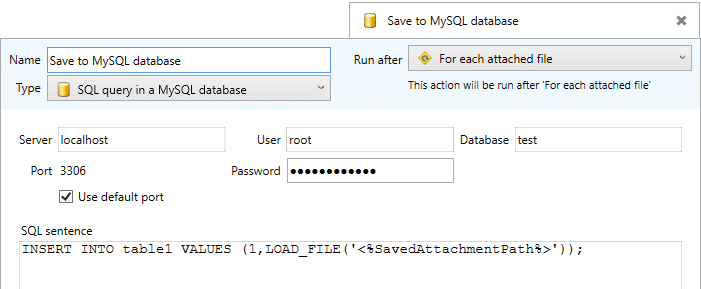
Notice the use of <%SavedAttachmentPath%> within the SQL sentence. When this item is run it is replaced with the actual value of the attachment path.
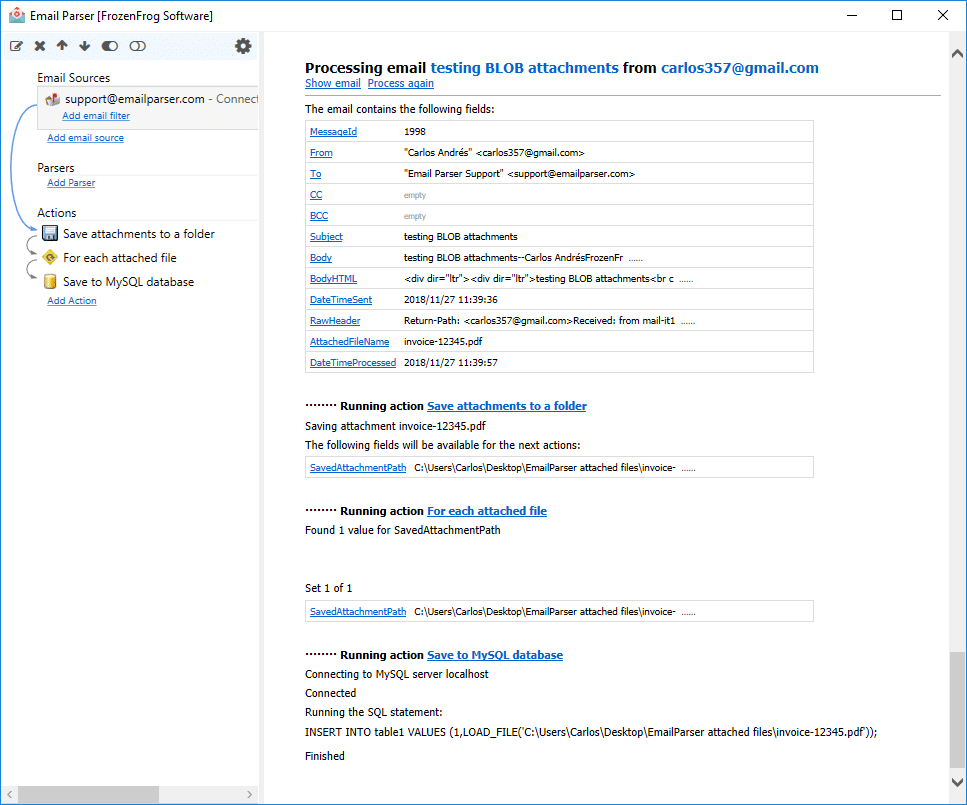
The three actions produce the following output in Email Parser: