Running an external program
See also:
Running a command under the Windows command prompt
Running a PowerShell script
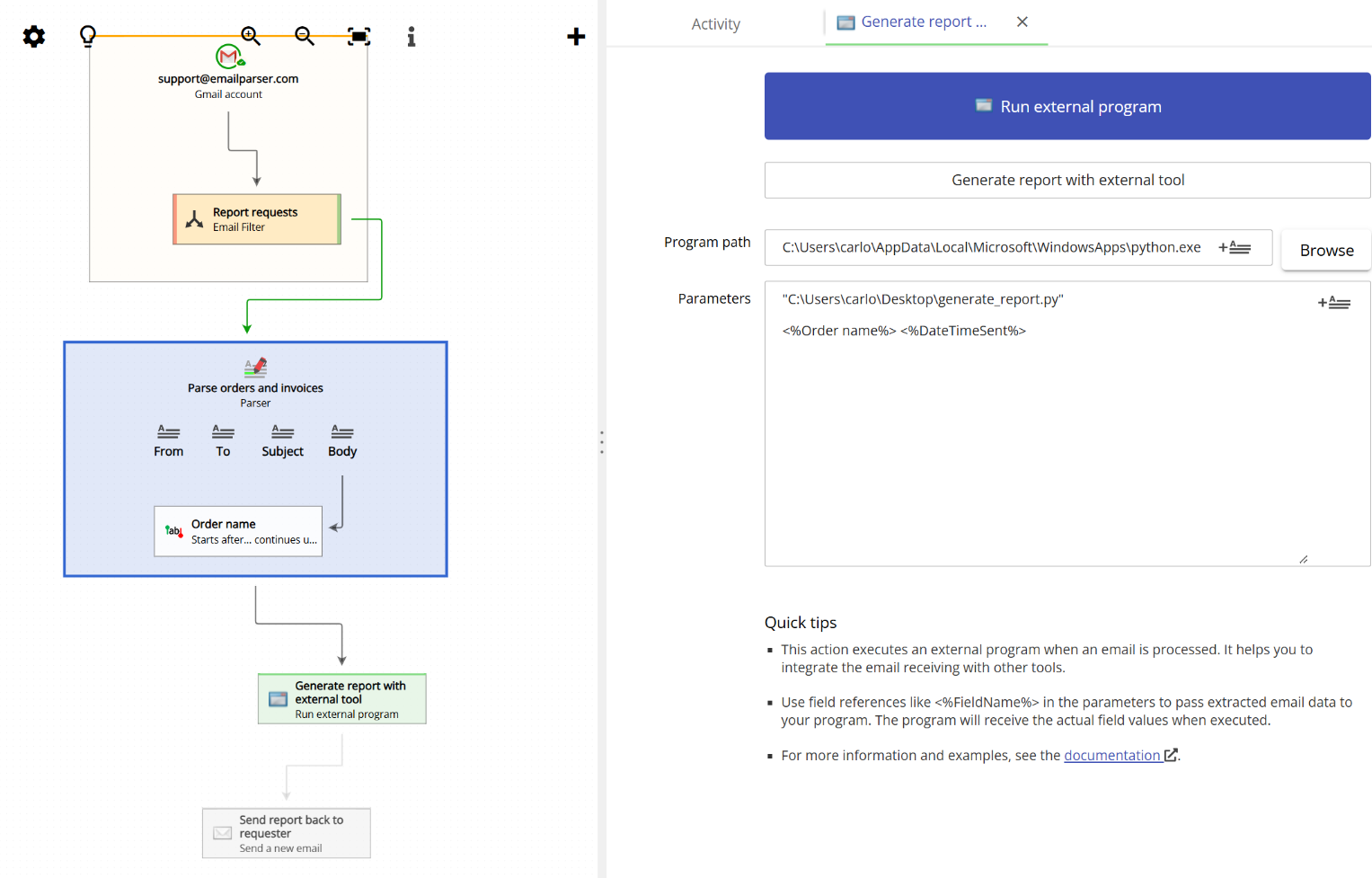
Use this action to launch any program or script on your computer each time an email is processed. You simply provide the path to the executable and, optionally, a list of arguments. You can include field placeholders in the arguments (such as <%From%> or <%OrderNumber%>), and Email Parser will substitute them with the actual values extracted from the email before calling the program.
This makes it easy to connect Email Parser to any custom tool or script you already have. For example, you can call a Python script that generates a financial report, a command-line application that writes data to a database, or any other executable that needs information from incoming emails. The output printed by the program is captured and displayed in the output window, so you can verify that everything ran as expected.

Common issues and questions
When running this action, Email Parser stops responding and does not process any further emails.
Email Parser waits for the external program to finish indefinitely. This is the expected behavior and no closing signal is sent to the launched external program after a certain time. To prevent Email Parser from getting blocked, check that the external process closes by itself by calling it manually using the same parameters as Email Parser.
I get different results (or even errors) when calling the external program from Email Parser
Note that when Email Parser is run as a service, the user rights actually used are those from the “LOCAL SERVICE” user (unless you set something different under the control panel > services). This means that network drives may not be available, or the rights to access some folders may not be the same as when you manually launch the external app from the command line.
